Team edition Up to 25 clinicians
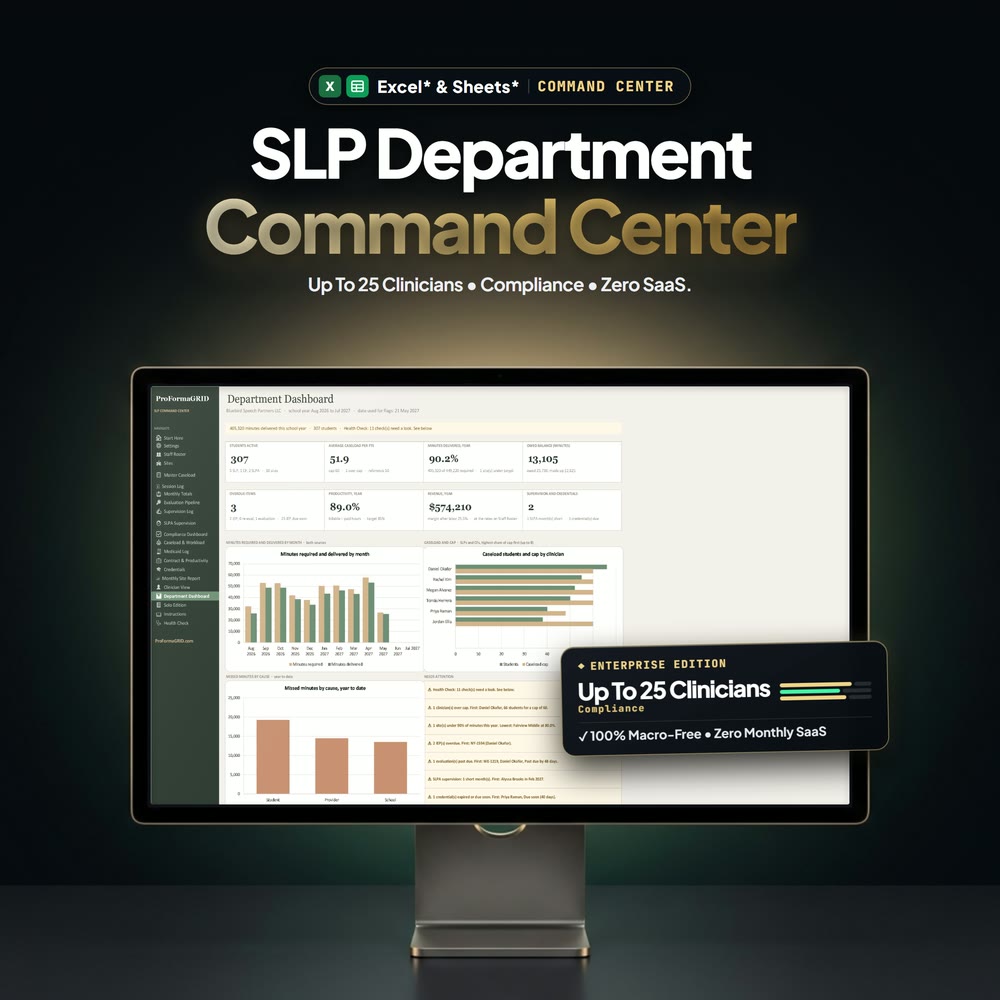
SLP Department Command Center
IEP compliance by clinician and school, caseload caps and SLPA supervision.
$59.99
SLP Caseload Tracker
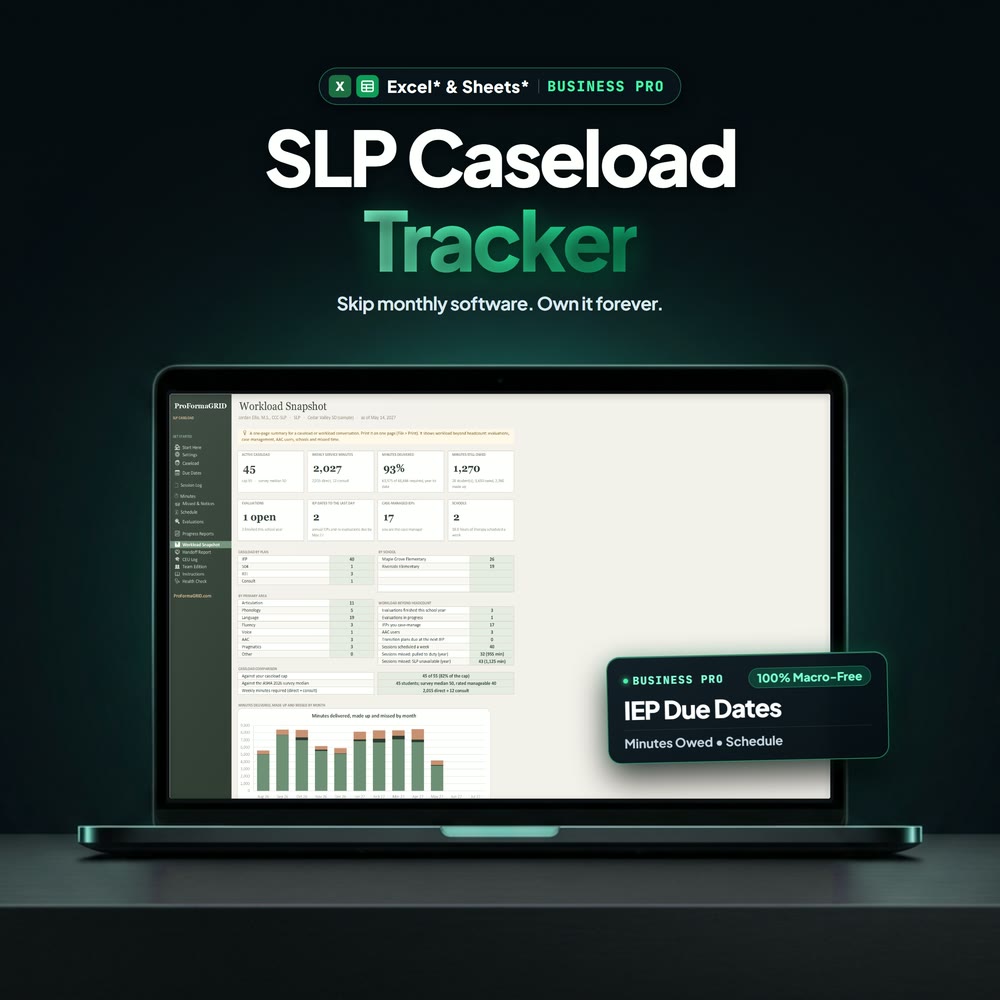
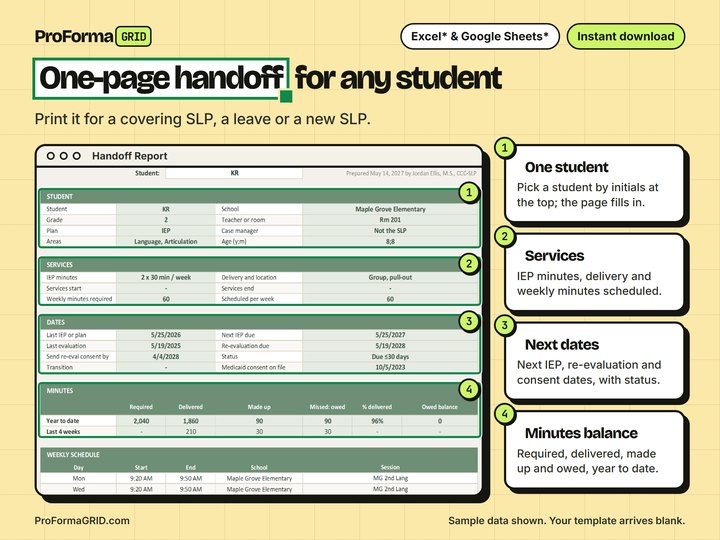
Enter each student once by initials or ID. The tracker counts down annual IEPs, re-evaluations and evaluation timelines, compares the minutes you deliver with what each IEP requires, works out make-up minutes owed under the rules you choose, and builds a workload one-pager for caseload conversations.
Live workbook preview — pre-built formulas, charts, and formatting included.
Edition
Solo editionOne SLP$14.99Team editionUp to 25 clinicians · SLP Department Command Center$59.99Excel* & Google Sheets*
Type your school year, holidays, schools and state options on Settings, then add each student on Caseload. Log each session with a status code as you go. Check Due Dates each week, and open Minutes before progress reports to see who is owed time.
01 Workload Snapshot
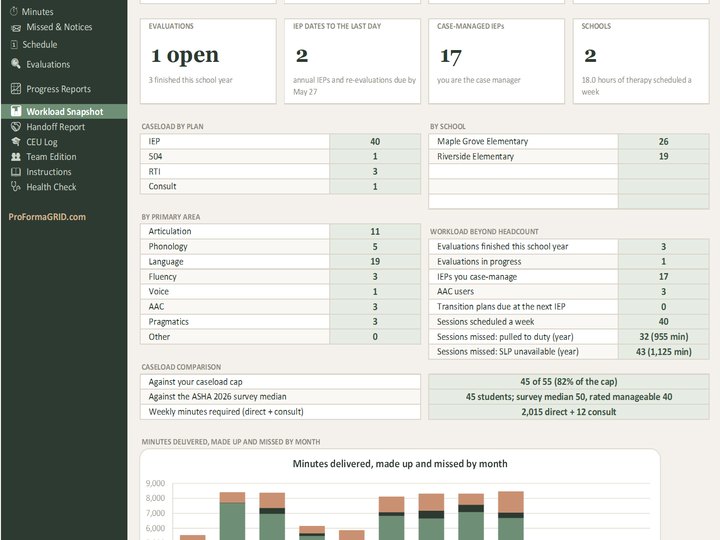
Active caseload, weekly service minutes, minutes delivered and still owed, evaluations, case-managed IEPs and schools, with a comparison to your caseload cap.
02 Due Dates
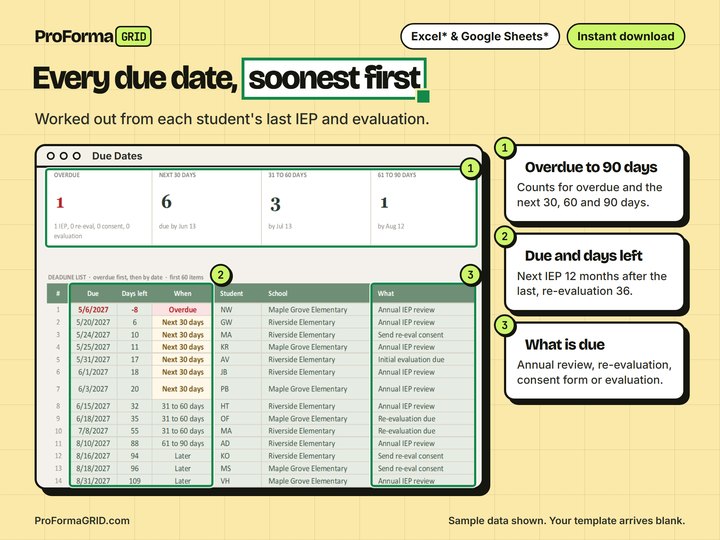
Overdue items first, then the next 30, 60 and 90 days, plus a month-by-month count so you can book meetings at the start of the year.
03 Minutes
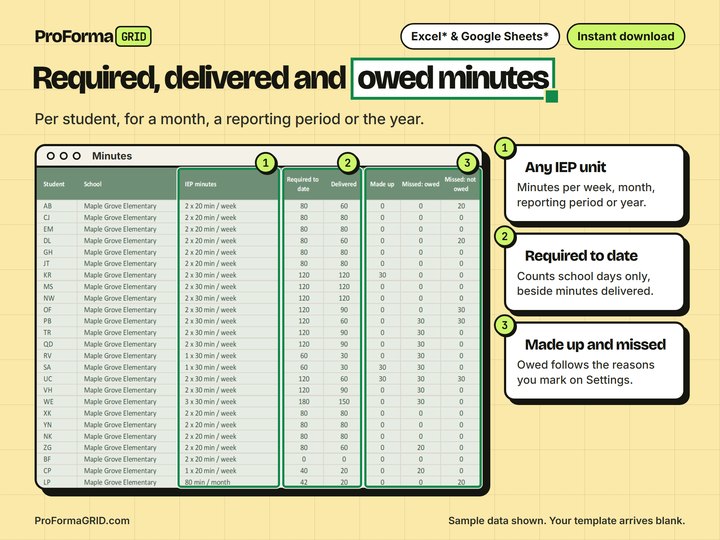
Required, delivered, missed and made-up minutes for each student by month and reporting period, with a flag after three misses in a month.
04 Schedule
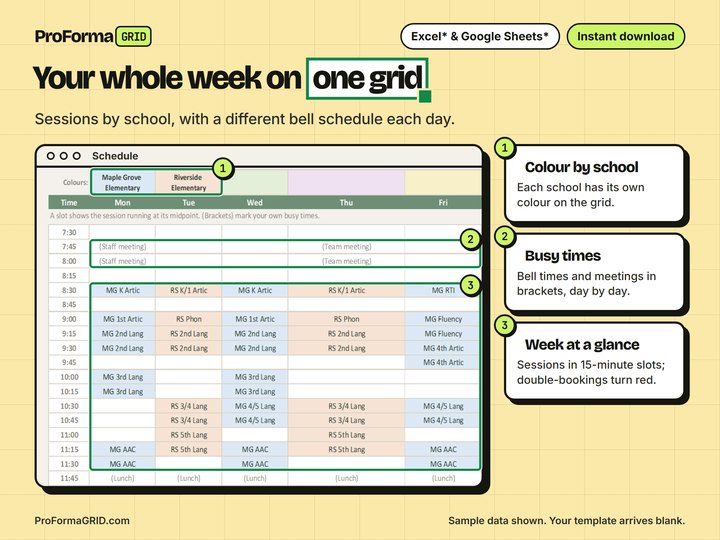
A weekly grid with a different bell schedule each day across schools, scheduled minutes against required minutes and a double-booking alert.
16 pre-built, interconnected worksheets included in both Excel* and Google Sheets*.
Excel* & Google Sheets* digital bundle — ready for instant use
Instant digital download: your Microsoft Excel* (.xlsx) workbook, a one-click Google Sheets* copy link PDF and a step-by-step instructions PDF.
No. It is a personal tracking tool for your own caseload. Your district's IEP system stays the official record, and the tracker is not legal advice.
Use initials or student ID numbers, not full names, and keep the file on storage your district approves. The privacy box on Start Here explains this.
Timelines that vary by state are settings: the initial evaluation timeline in calendar or school days, a caseload cap, consent reminders and an optional Florida missed-service notice.
Yes. The SLP Department Command Center adds compliance by clinician and site, caseload balancing, SLPA supervision and contract hours. The Team Edition tab inside this workbook shows it.
The SLP Caseload Tracker includes ready-to-use files for both Excel & Google Sheets. Every formula, chart, dashboard, and all 16 connected worksheets (Start Here, Settings, Caseload, Due Dates, Session Log, Minutes, Missed & Notices, Schedule, Evaluations, Progress Reports, Workload Snapshot, Handoff Report, CEU Log, Team Edition, Instructions, Health Check) are pre-built and ready the moment you open your file.
Professionals, business owners, and individuals looking for a ready-to-use slp caseload tracker in Microsoft Excel and Google Sheets. Type your school year, holidays, schools and state options on Settings, then add each student on Caseload. Log each session with a status code as you go. Check Due Dates each week, and open Minutes before progress reports to see who is owed time.
It is a 100% one-time purchase ($14.99 USD) with lifetime personal or internal business use — zero recurring subscription fees, zero locked cells, and no add-ons required.
Immediately. Your download links appear right on your private order confirmation page seconds after checkout via credit card, Apple Pay, or Google Pay. Bookmark your order page to re-download anytime.
Excel*, Google Sheets* and YouTube* are trademarks of their respective owners.
IEP compliance by clinician and school, caseload caps and SLPA supervision.
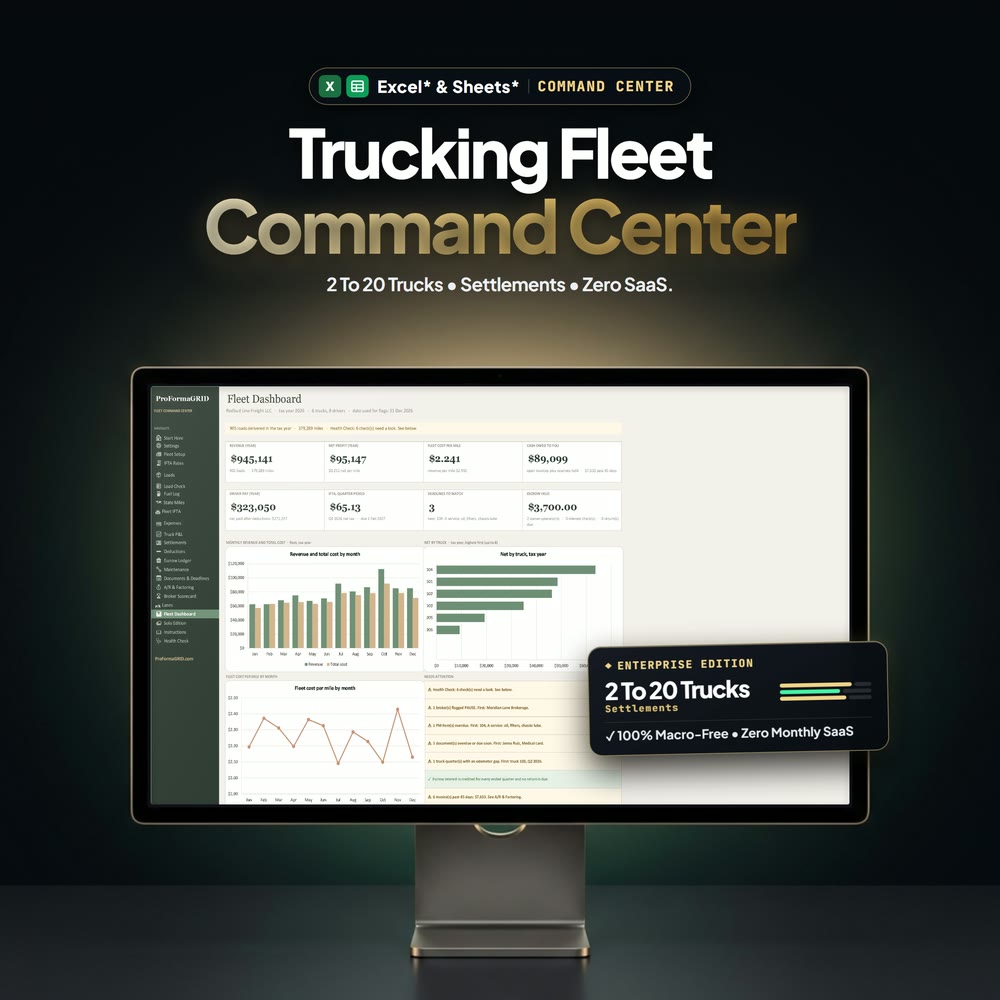
Profit per truck, weekly driver settlements with escrow, and fleet IFTA.
Smaller edition · $14.99Owner-Operator Trucking Tracker →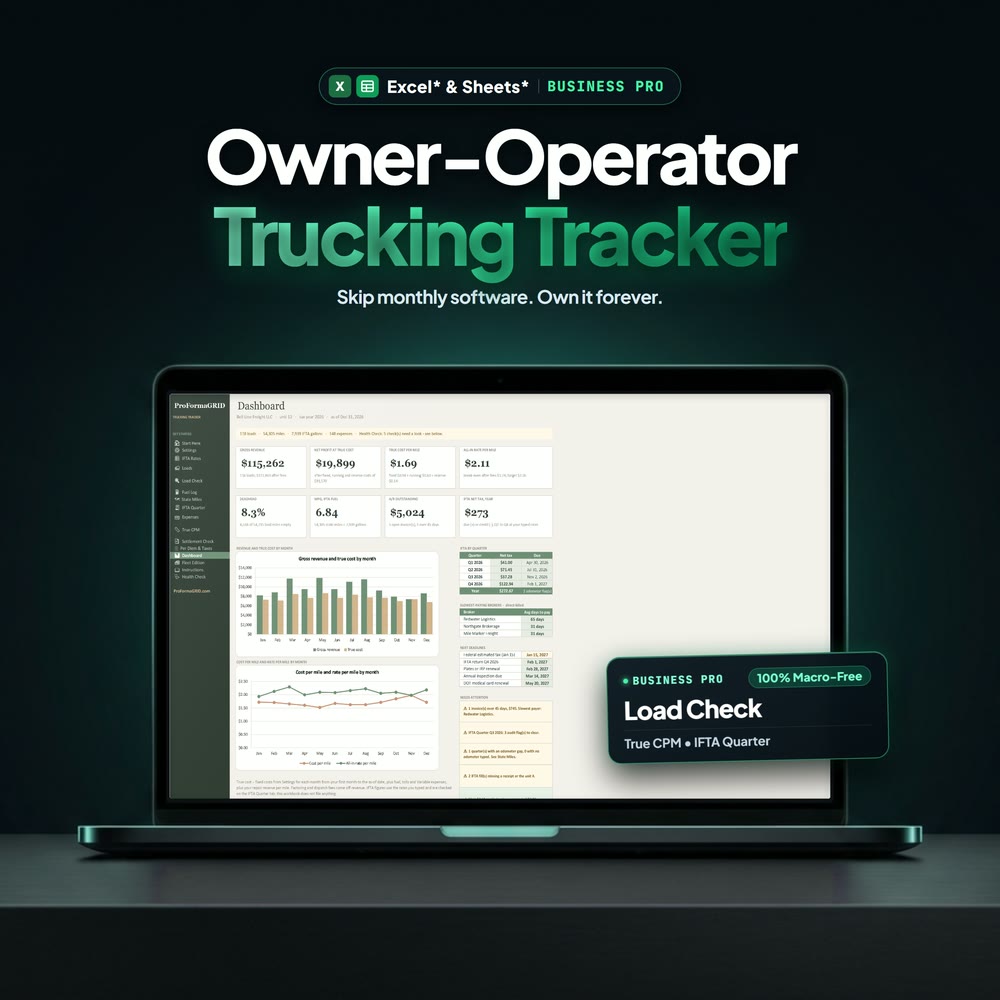
Know your true cost per mile, check a load before you book it, and have your IFTA numbers ready and checked at quarter end. One truck, owned or leased-on, in Microsoft Excel and Google Sheets. One payment, no subscription.
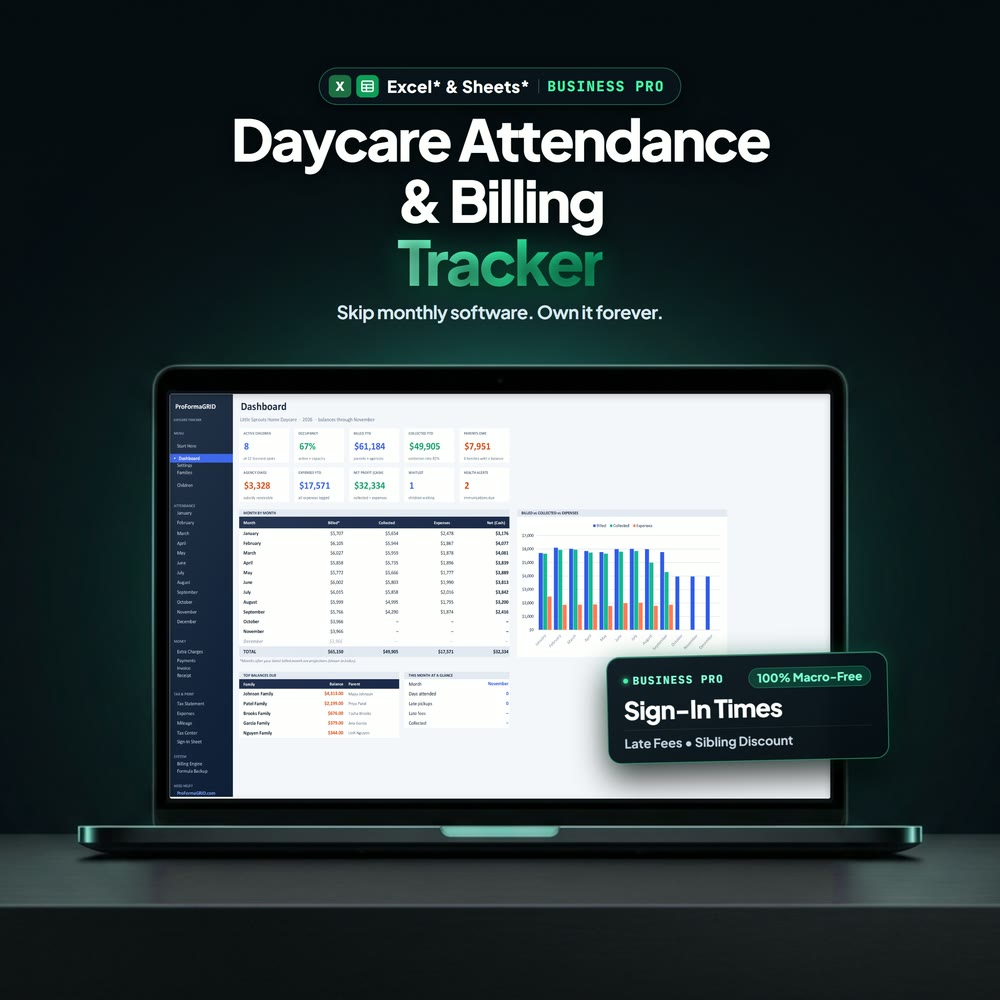
Turn daily child check-ins and late pickups into instant monthly tuition invoices, parent receipts & agency balances.