

Creators & freelancers
Streamer Tax Tracker Spreadsheet
Reconcile Twitch, YouTube & sponsor payouts against bank deposits, write off streaming gear, and estimate quarterly taxes.
$14.99
Tattoo Artist Ledger
Track client booking deposits, calculate session take-home after shop commission or booth rent, deduct single-use supply costs, and know your monthly balance with the shop.
Live workbook preview — pre-built formulas, charts, and formatting included.
Excel* & Google Sheets*
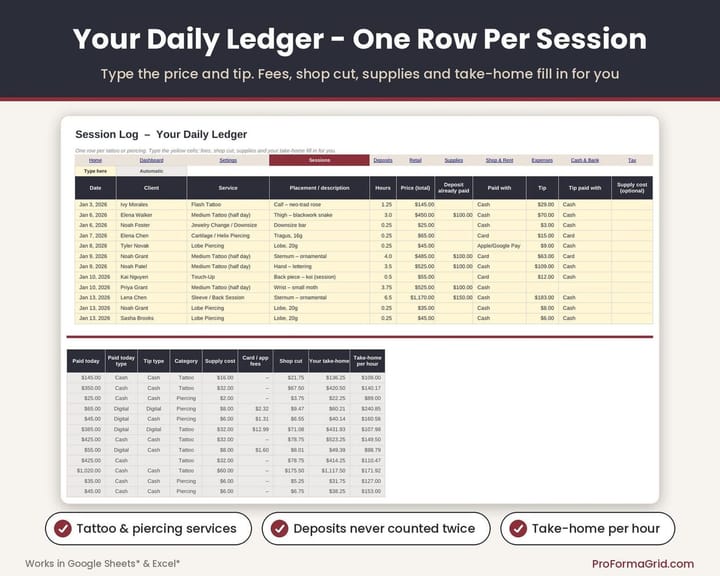
Log each client deposit when they book, then record the completed appointment price, tips, payment fee, and supply cost on the Session Log. Your workbook automatically applies your shop’s commission split or monthly booth rent so you always know your true hourly take-home and what has been settled with the studio.
01 Dashboard
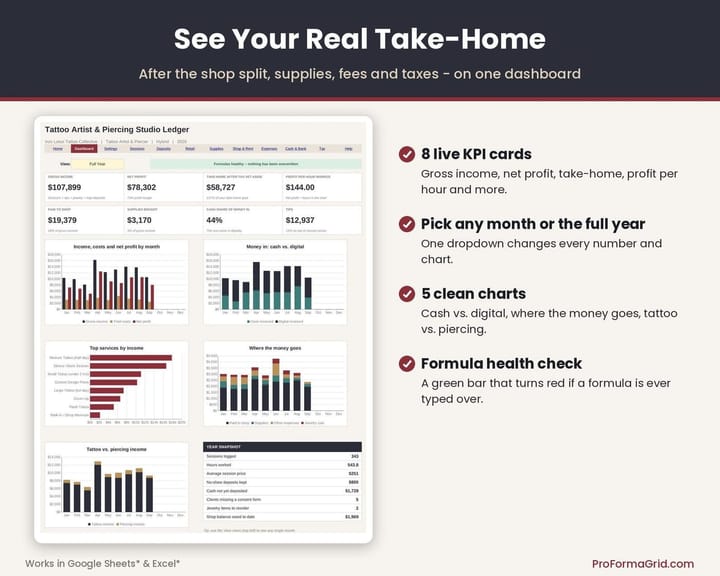
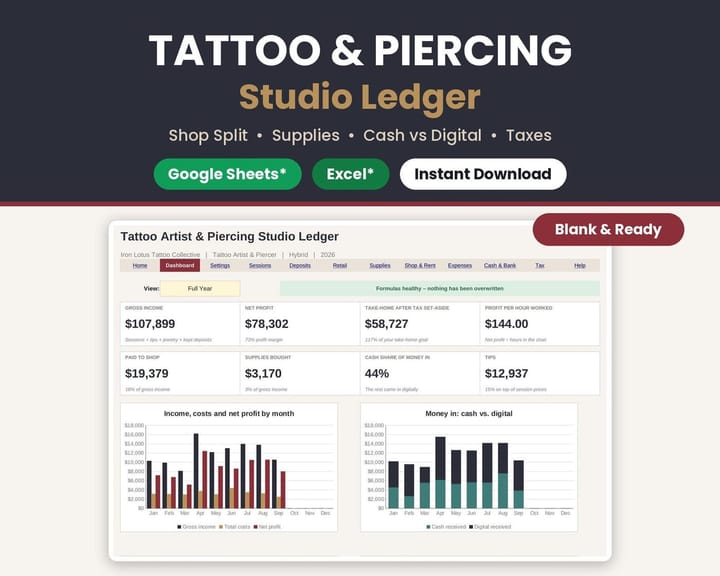
Filter by any month or the full year to review gross client billings, tips, supply costs, the shop’s cut, and your net profit per tattooing hour.
02 Session Log
Enter the total session price, applied deposit, cash/card tips, payment fees, and supply cost to see the shop’s share and your net take-home per hour.
03 Deposits
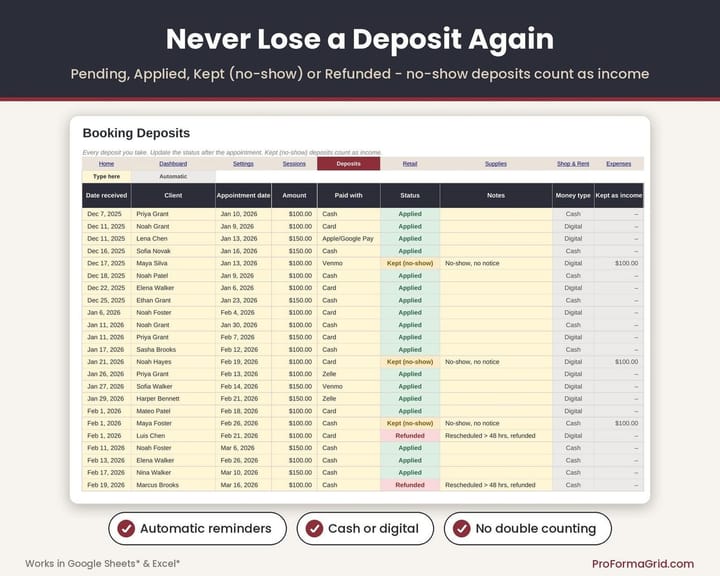
Log booking date, appointment date, deposit amount, and payment method — and mark each deposit as Pending, Applied to Session, Kept (No-Show), or Refunded.
04 Shop Split & Rent
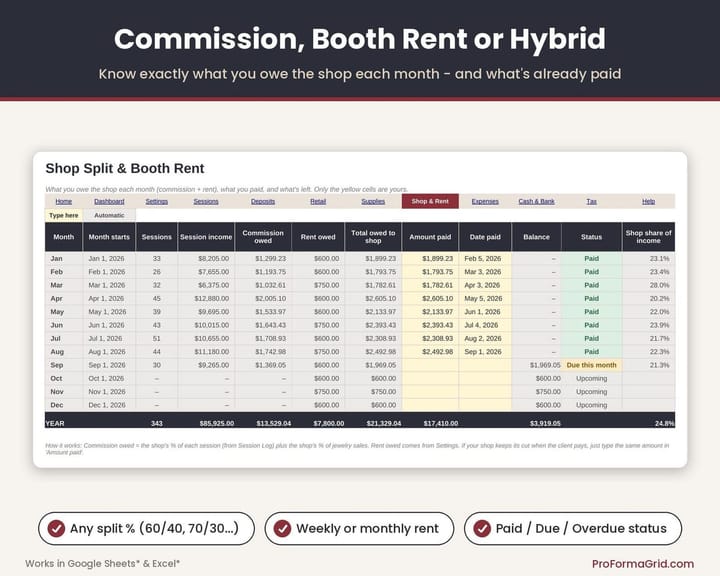
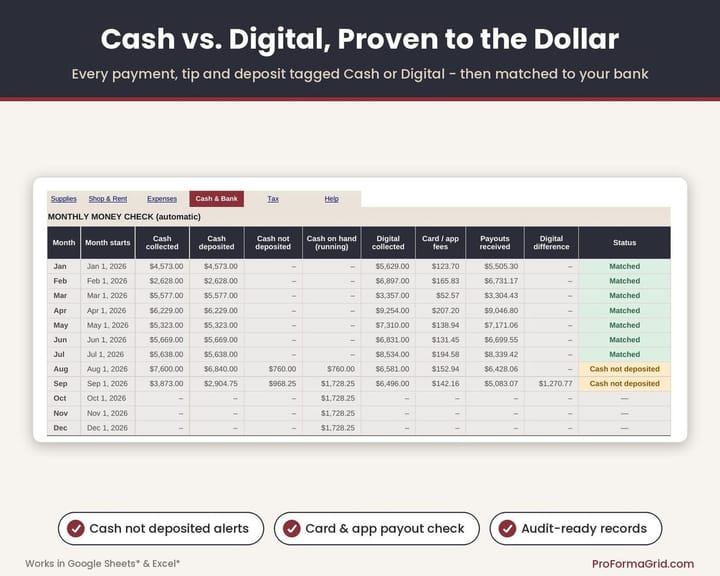
Compare monthly commission or rent owed against payments made to the shop so you and the studio owner are always on the same page.
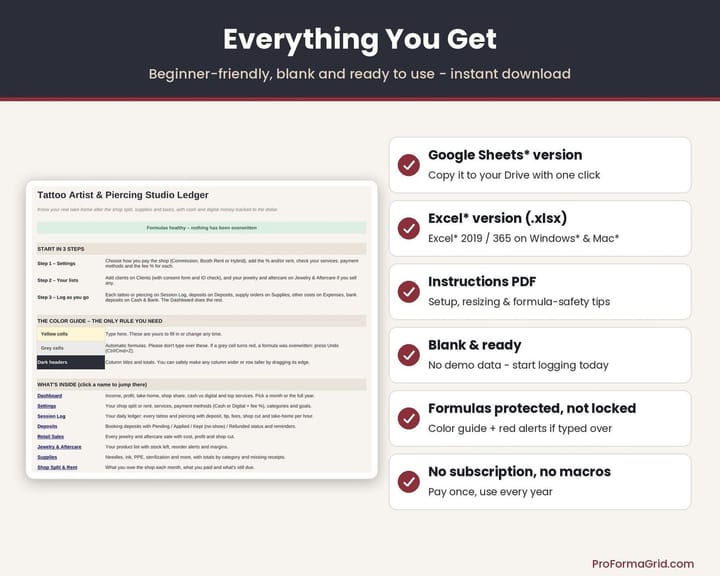
16 pre-built, interconnected worksheets included in both Excel* and Google Sheets*.
Excel* & Google Sheets* digital bundle — ready for instant use
Instant digital download — includes your ready-to-use Microsoft Excel* (.xlsx) workbook, one-click Google Sheets* copy link PDF, and step-by-step setup guide.
Yes! Shop Split & Rent supports both percentage commission splits and flat monthly booth rent — or a combination of both — and tracks what you’ve paid the shop versus what remains due.
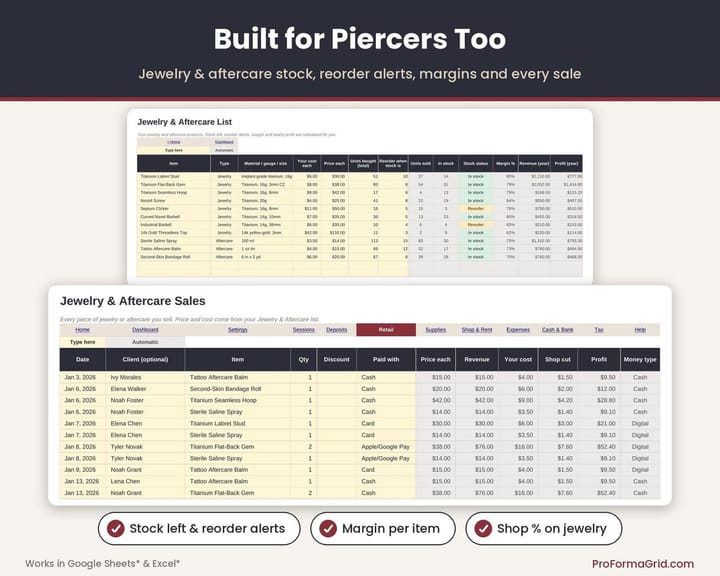
The Tattoo Artist Ledger includes ready-to-use files for both Excel & Google Sheets. Every formula, chart, dashboard, and all 16 connected worksheets (Start Here, Dashboard, Settings, Session Log, Deposits, Retail Sales, Jewelry & Aftercare, Supplies, Shop Split & Rent, Expenses, Mileage, Cash & Bank, Clients, Monthly Summary, Tax Summary, Instructions) are pre-built and ready the moment you open your file.
Tattoo artists, body piercers, and studio residents tracking client deposits, shop commission splits, booth rent, and tips. Log each client deposit when they book, then record the completed appointment price, tips, payment fee, and supply cost on the Session Log. Your workbook automatically applies your shop’s commission split or monthly booth rent so you always know your true hourly take-home and what has been settled with the studio.
It is a 100% one-time purchase ($14.99 USD) with lifetime personal or internal business use — zero recurring subscription fees, zero locked cells, and no add-ons required.
Immediately. Your download links appear right on your private order confirmation page seconds after checkout via credit card, Apple Pay, or Google Pay. Bookmark your order page to re-download anytime.
Excel*, Google Sheets* and YouTube* are trademarks of their respective owners.
Reconcile Twitch, YouTube & sponsor payouts against bank deposits, write off streaming gear, and estimate quarterly taxes.
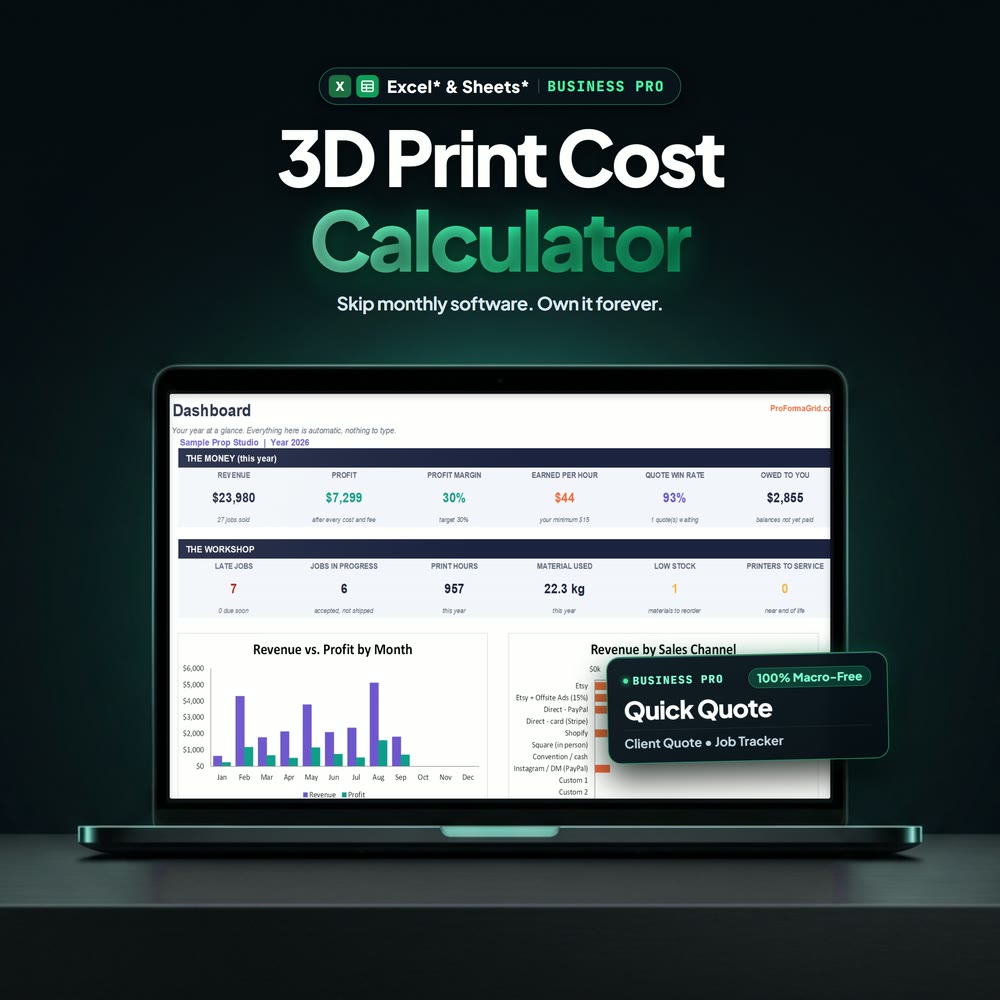
Quote 3D prints across 3 finish tiers (raw, sanded, painted) with exact filament/resin gram costs, machine wear & labor.

Track daily Etsy ad spend, organic vs. paid conversion rates, ROAS, and before/after listing A/B test winners.

Schedule students across time zones, track prepaid lesson package credits after platform fees, and log homework progress.