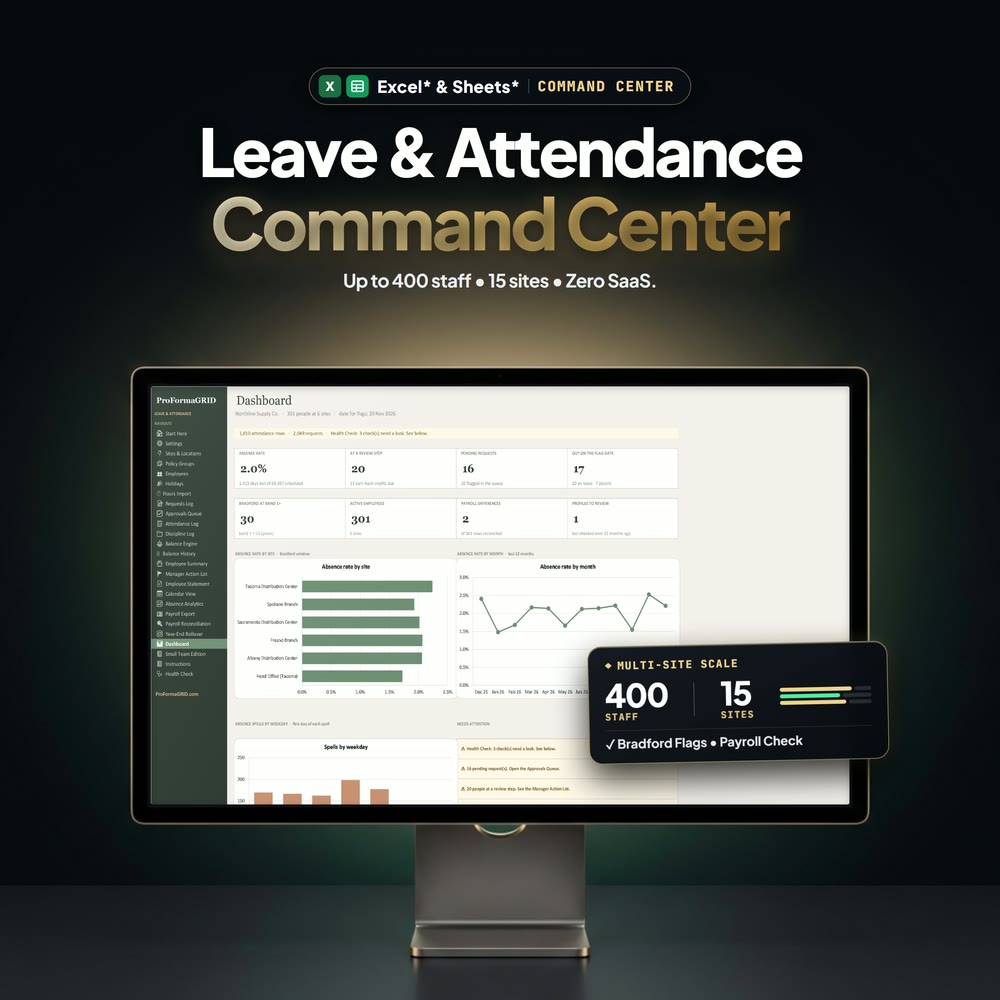
Multi-site edition Up to 400 people
Leave & Attendance Command Center
Policy groups by location, an approvals queue and a payroll reconciliation.
Smaller edition · $14.99PTO Attendance Points Tracker →$69.99
Party Rental Booking & Availability Tracker
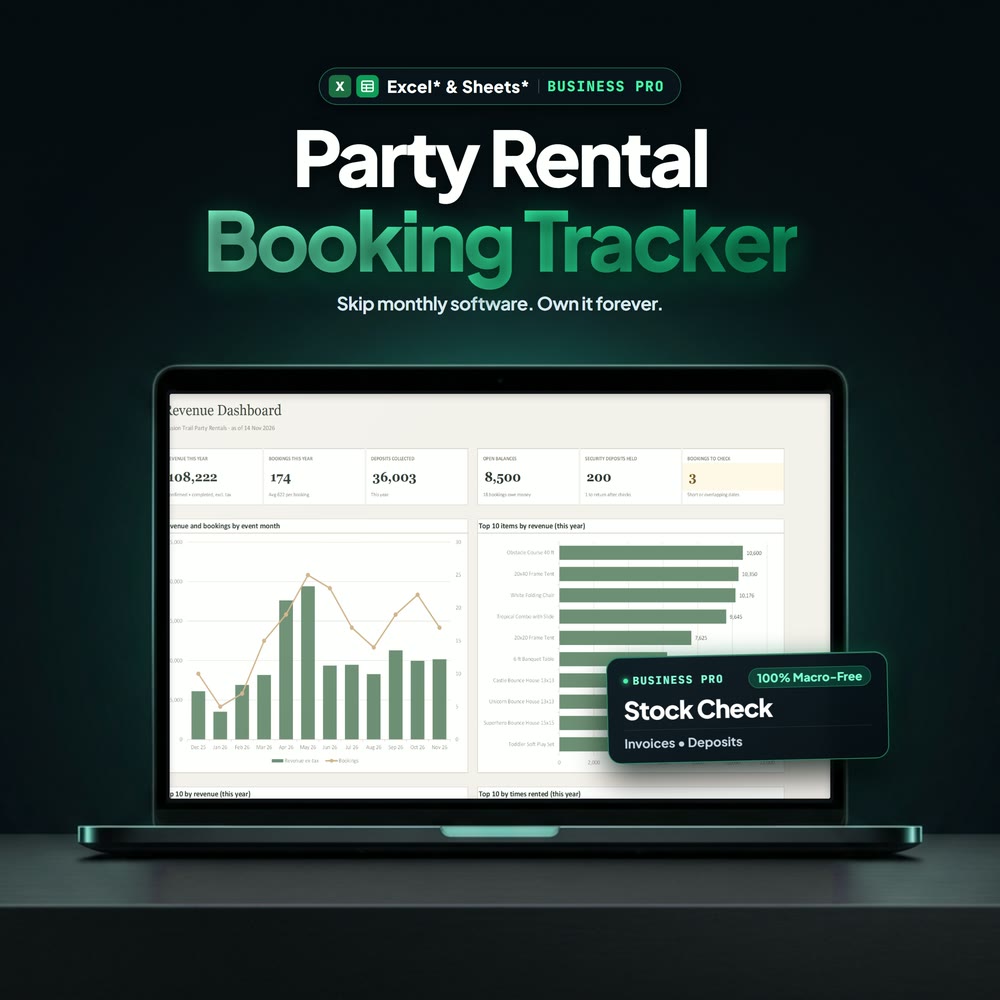
This workbook is for a party rental business run by one owner from one place: bounce houses, tables and chairs, tents, linens, concessions and games. Every booking line is checked against what you own for its dates, buffer days included, and the workbook also handles totals, deposits, printable quotes, daily run sheets and revenue by month and by item.
Live workbook preview — pre-built formulas, charts, and formatting included.
Excel* & Google Sheets*
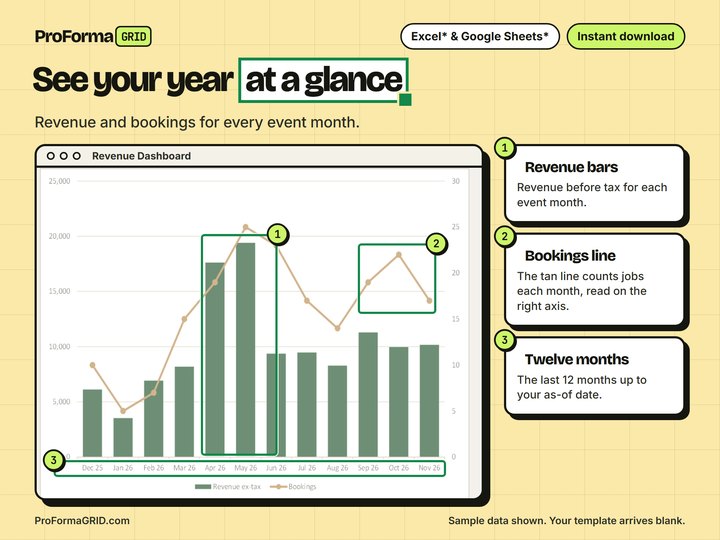
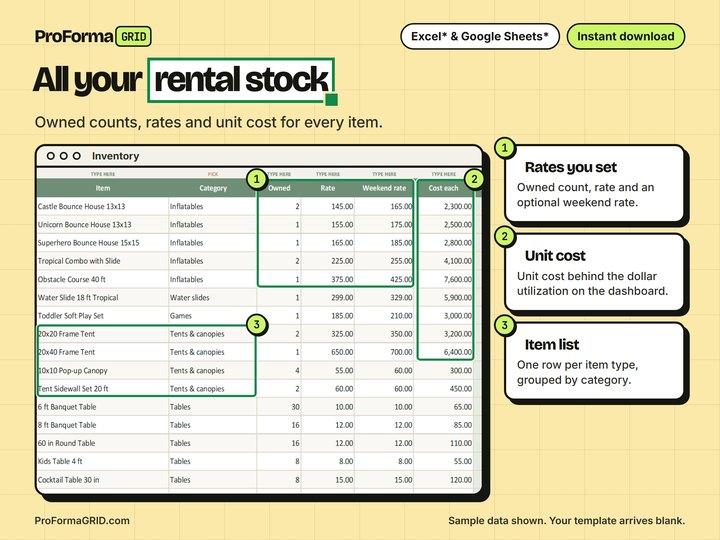
Start on Settings with your business details, deposit and balance rules, damage waiver %, sales tax and your delivery zones, setup levels and policies. On Inventory, add one row per item type with how many you own, rates and buffer days, then add each customer once on Customers. Log each job on Bookings and its items on Booking Lines, where every line shows OK, Short by N or Check dates. Record deposits, balances, refunds and security deposits on Payments and dirty or damaged units on Care & Damage Log. Use Availability Check, Quote & Invoice, Daily Run Sheet and Revenue Dashboard as you go, and run Health Check monthly.
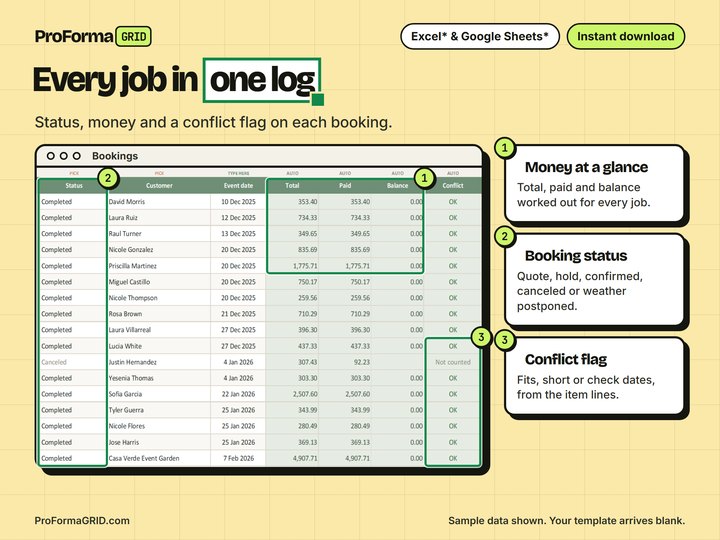
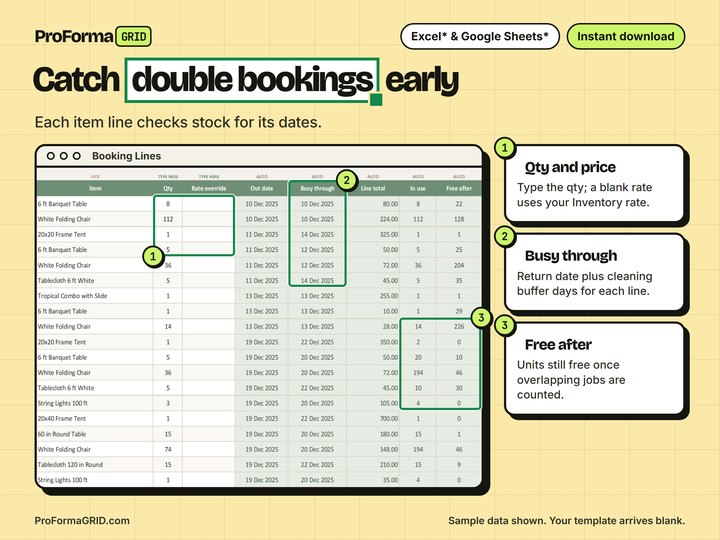
01 Booking Lines
Each item on a booking is checked against what you own, minus units out of service and other overlapping bookings, and flagged OK, Short by N or Check dates. Quotes show whether they would fit without taking stock.
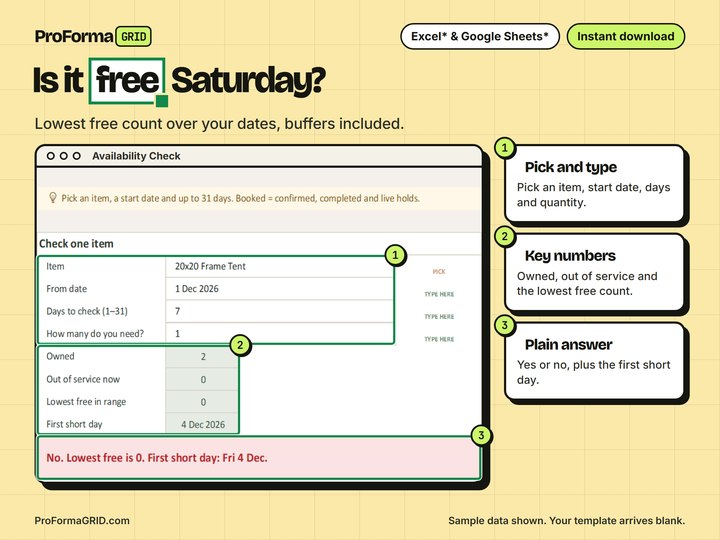
02 Availability Check
Pick an item and see its free count for up to 31 days, or see every item's free count on one date. This gives the exact answer when a multi-day line says Check dates.
03 Quote & Invoice
Pick a Booking ID to show your business details, the booking's lines and totals, and your weather, damage and cancellation policies, ready to print. You can place your own logo on it.
04 Daily Run Sheet
Type a date to list up to 30 drop-offs and pickups in time order. Type a stop number to print a count out and count back sheet for that stop.
15 pre-built, interconnected worksheets included in both Excel* and Google Sheets*.
Excel* & Google Sheets* digital bundle — ready for instant use
Instant digital download: your Microsoft Excel* (.xlsx) workbook, a one-click Google Sheets* copy link PDF and a step-by-step instructions PDF.
Not always. Multi-day lines can over-warn. Open Availability Check, pick the item, the out date and the number of days, and if every day shows enough free, the booking fits.
A quote is not a promise yet, but its lines still show whether it would fit. Change the status to Hold or Confirmed to reserve the items. Holds count against stock until their hold-until date.
Pick Security deposit as the booking's protection. On Payments, add Security deposit held when you take it, then Security deposit returned or withheld afterward. The booking balance does not change.
Set the booking to Weather postponed. Stock is released and the rain check expiry date appears. On the new booking, record the credit on Payments as Rain-check credit used.
No. You record the payments you receive. It does not process payments, send messages or sync with accounting software.
No. Availability is day-level only, and there are no kits, truck routes, crews or sub-rentals. The Party & Event Rental Operations Manager edition adds those for larger operations.
The Party Rental Booking & Availability Tracker includes ready-to-use files for both Excel & Google Sheets. Every formula, chart, dashboard, and all 15 connected worksheets (Start Here, Settings, Inventory, Customers, Bookings, Booking Lines, Payments, Care & Damage Log, Availability Check, Quote & Invoice, Daily Run Sheet, Revenue Dashboard, Enterprise Edition, Instructions, Health Check) are pre-built and ready the moment you open your file.
Professionals, business owners, and individuals looking for a ready-to-use party rental booking & availability tracker in Microsoft Excel and Google Sheets. Start on Settings with your business details, deposit and balance rules, damage waiver %, sales tax and your delivery zones, setup levels and policies. On Inventory, add one row per item type with how many you own, rates and buffer days, then add each customer once on Customers. Log each job on Bookings and its items on Booking Lines, where every line shows OK, Short by N or Check dates. Record deposits, balances, refunds and security deposits on Payments and dirty or damaged units on Care & Damage Log. Use Availability Check, Quote & Invoice, Daily Run Sheet and Revenue Dashboard as you go, and run Health Check monthly.
It is a 100% one-time purchase ($14.99 USD) with lifetime personal or internal business use — zero recurring subscription fees, zero locked cells, and no add-ons required.
Immediately. Your download links appear right on your private order confirmation page seconds after checkout via credit card, Apple Pay, or Google Pay. Bookmark your order page to re-download anytime.
Excel*, Google Sheets* and YouTube* are trademarks of their respective owners.
Policy groups by location, an approvals queue and a payroll reconciliation.
Smaller edition · $14.99PTO Attendance Points Tracker →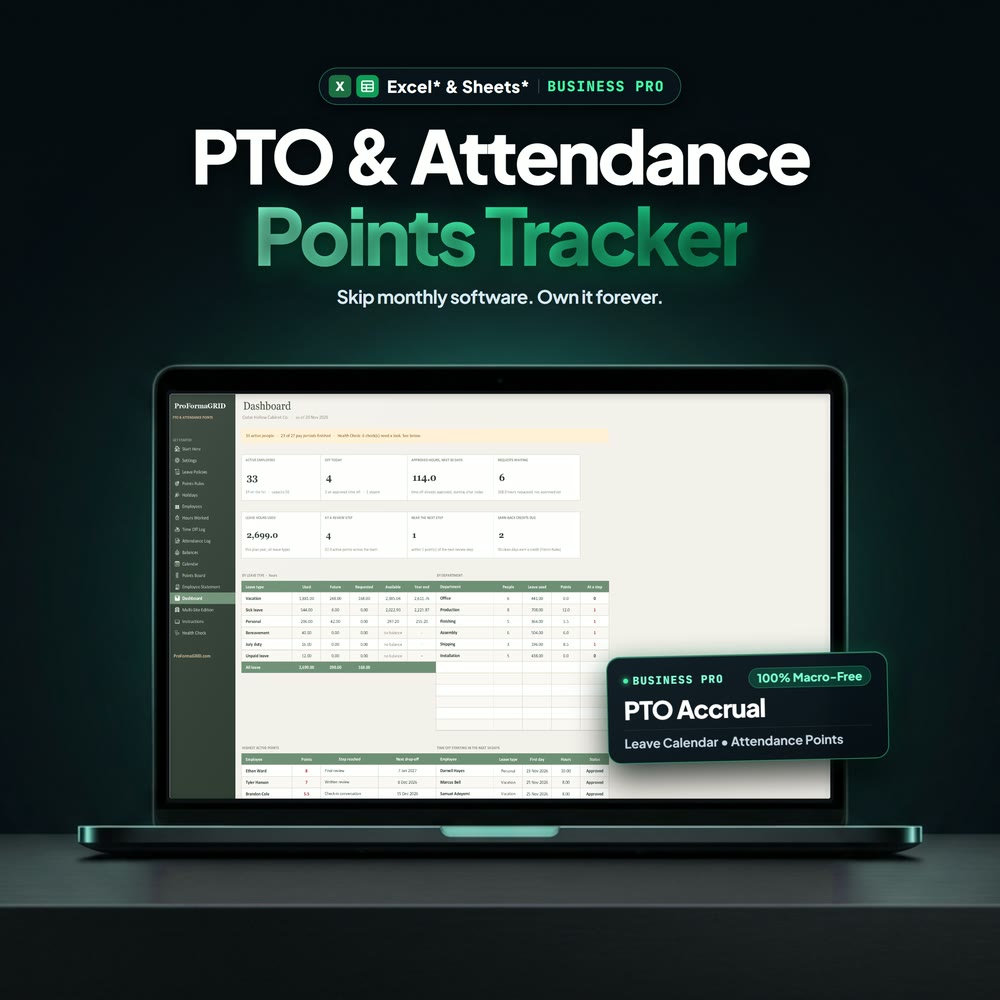
Track PTO, sick leave and attendance points for up to 50 people in one workbook: accrual by pay period, by hours worked or front-loaded, tenure tiers, caps and carryover, a month calendar of who is off, a points board where each point drops off on its own date, and a printable employee statement. Microsoft Excel and Google Sheets. One payment, no subscription.
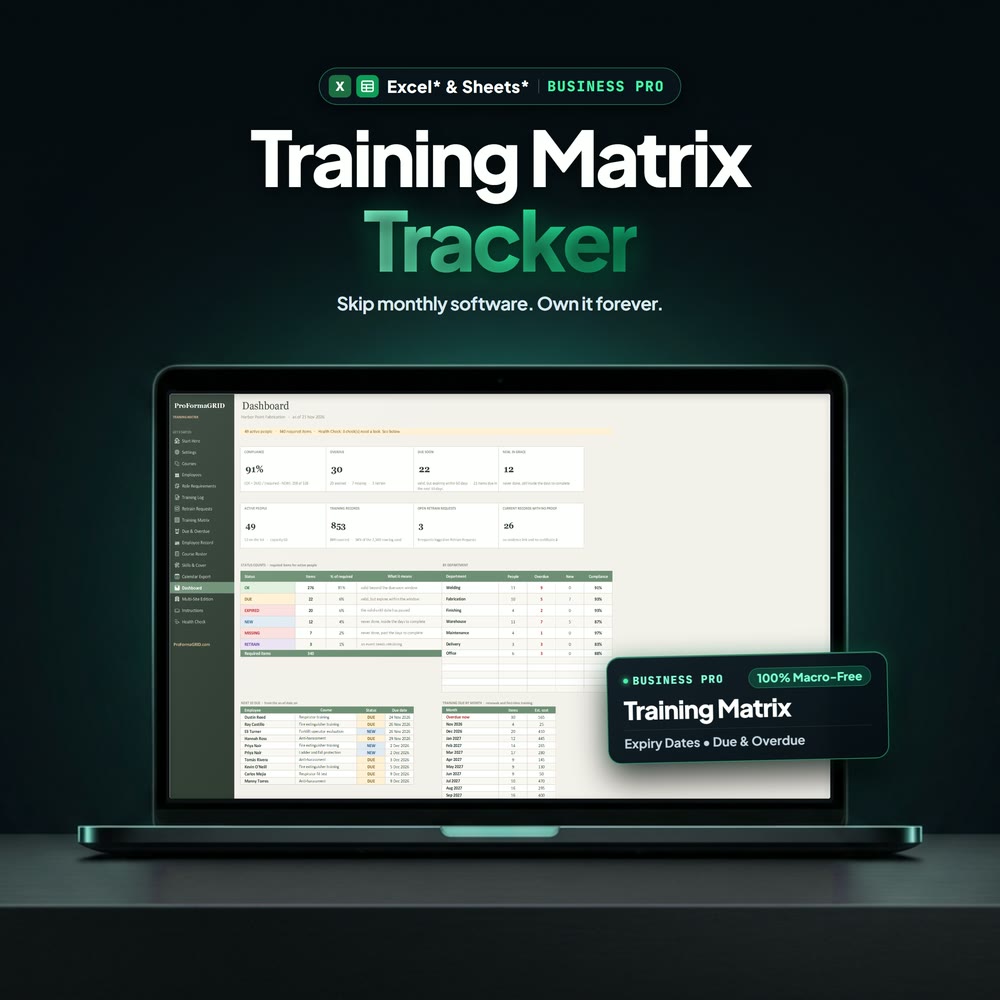
See who needs which training, who is done and what expires next, for a team of up to 60 people: a training matrix by role, a training log that keeps every renewal, due and overdue lists, employee records and course rosters. Microsoft Excel and Google Sheets. One payment, no subscription.
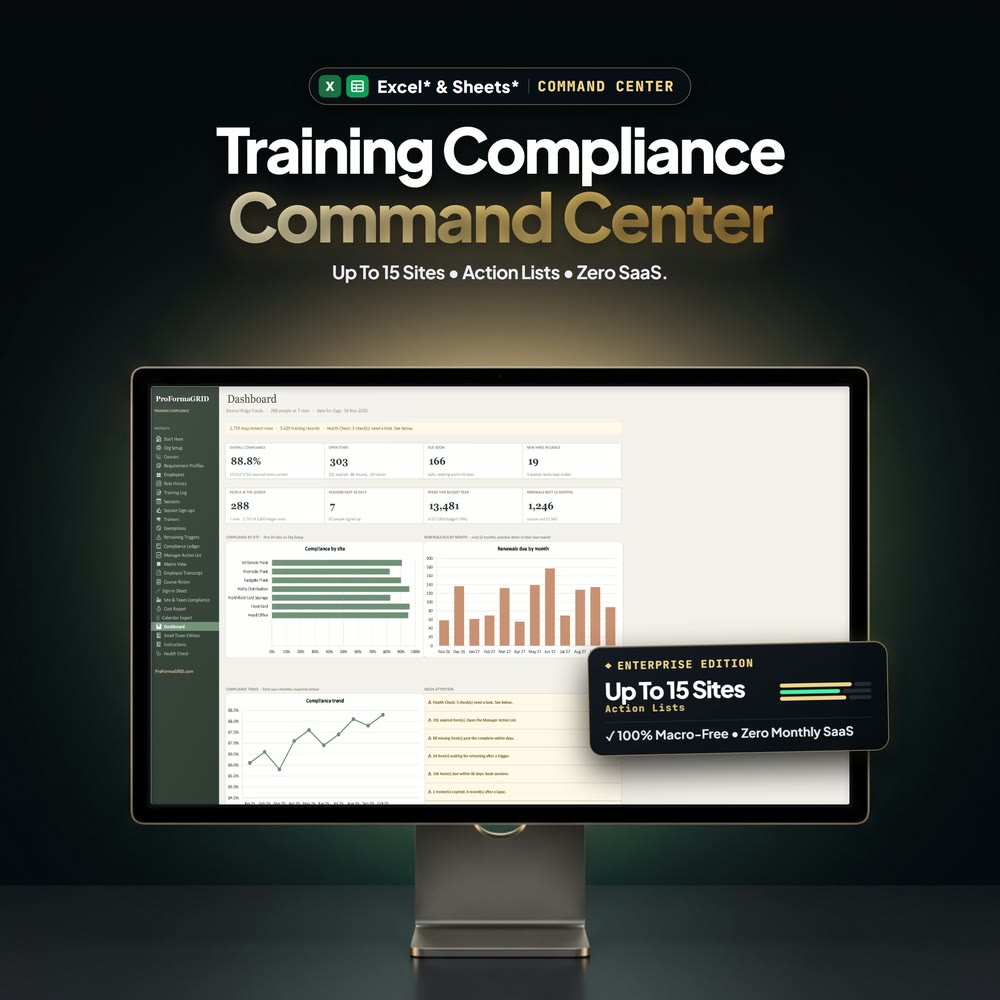
Requirement profiles by role and site, manager action lists and sessions.
Smaller edition · $14.99Training Matrix Tracker →