Studio edition 2 to 12 designers
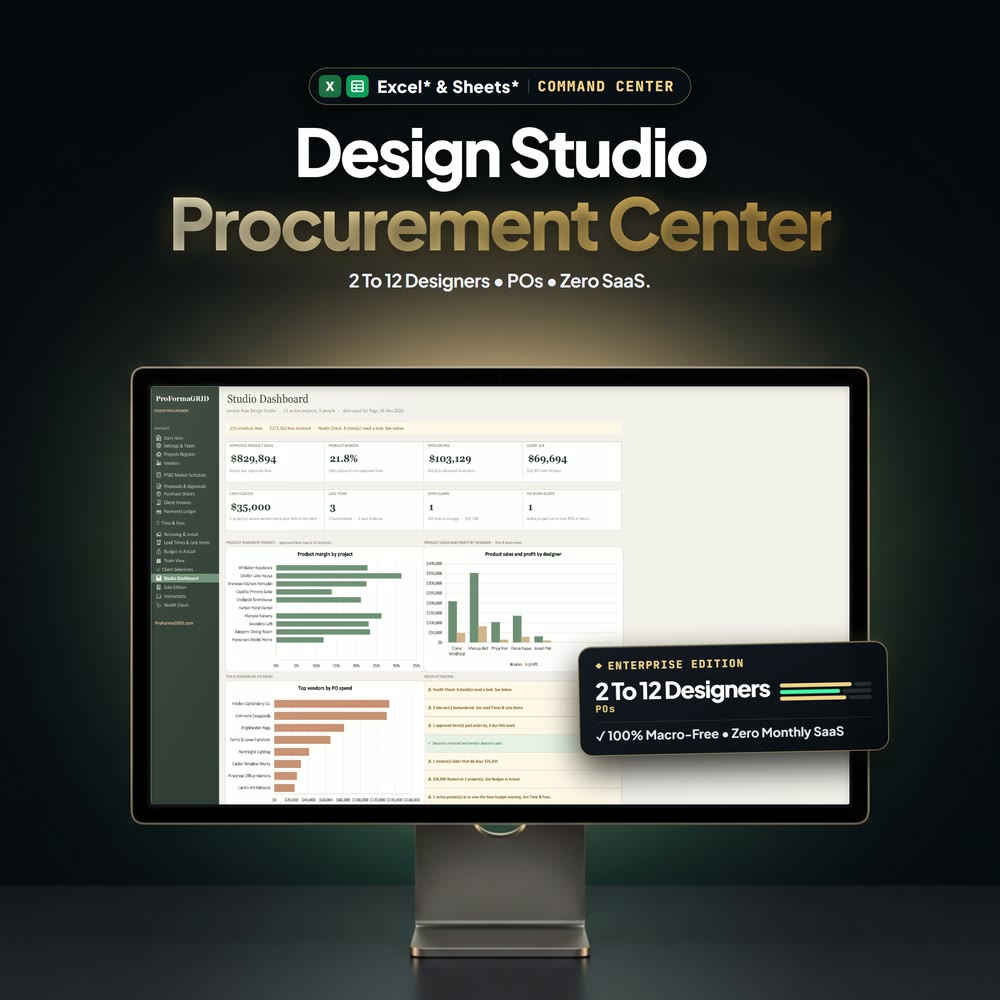
Design Studio Procurement Center
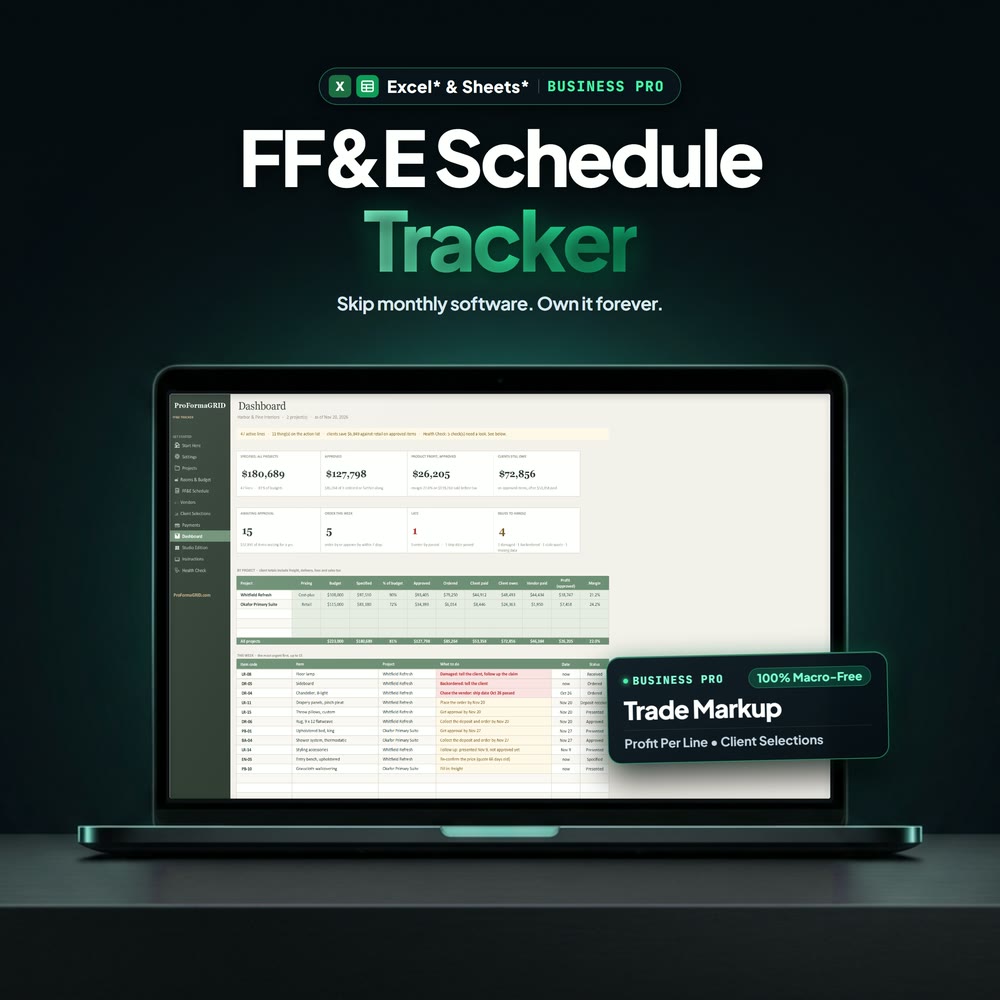
One FF&E schedule feeds proposals, purchase orders and client invoices.
$69.99
Interior Design FFE Tracker
Type each item once: room, vendor, list price or net quote, freight and dates. The tracker works out the client price for the way each project is billed, your profit and margin, what is late or due to order this week, how each room sits against its budget, and what each client still owes.
Live workbook preview — pre-built formulas, charts, and formatting included.
Edition
Solo editionOne designer$14.99Studio edition2 to 12 designers · Design Studio Procurement Center$69.99Excel* & Google Sheets*
Type your studio details and markups on Settings, your trade accounts on Vendors and each project's pricing method and tax rate on Projects. Add a code and budget for each room, then one line per item on the FF&E Schedule. Move the status along as items are approved, ordered and delivered. Print Client Selections for the client and check the Dashboard each week.
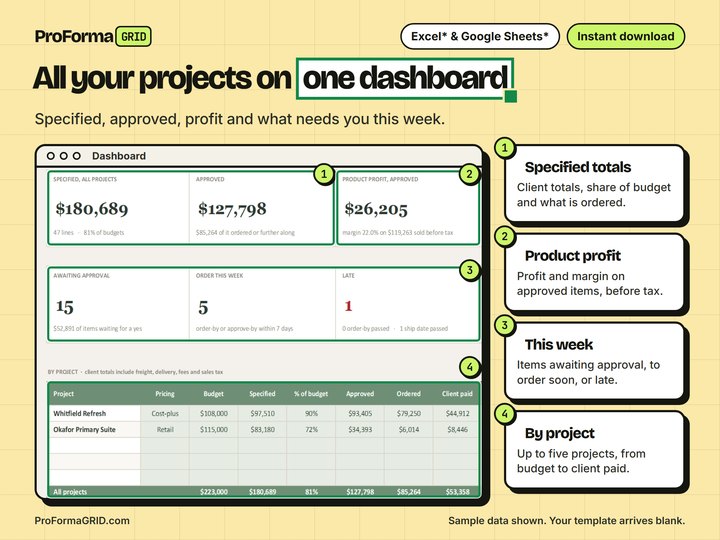
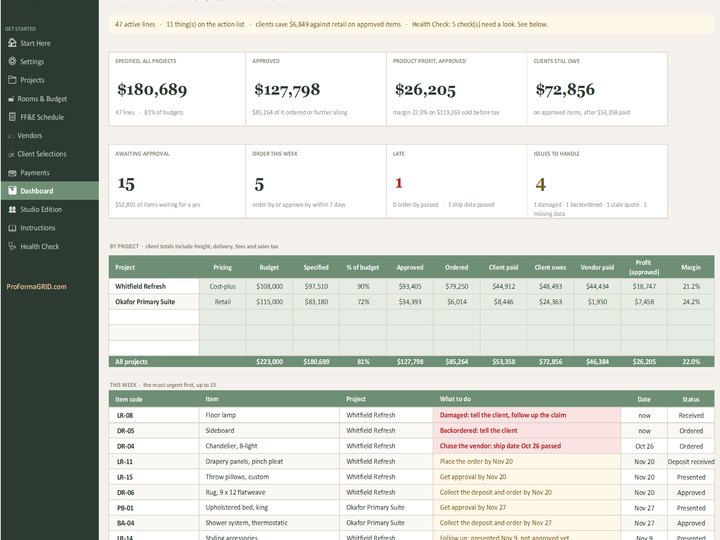
01 Dashboard
Specified, approved, product profit and what clients still owe, with items awaiting approval, items to order this week, late items, open issues and a totals table for each project.
02 FF&E Schedule
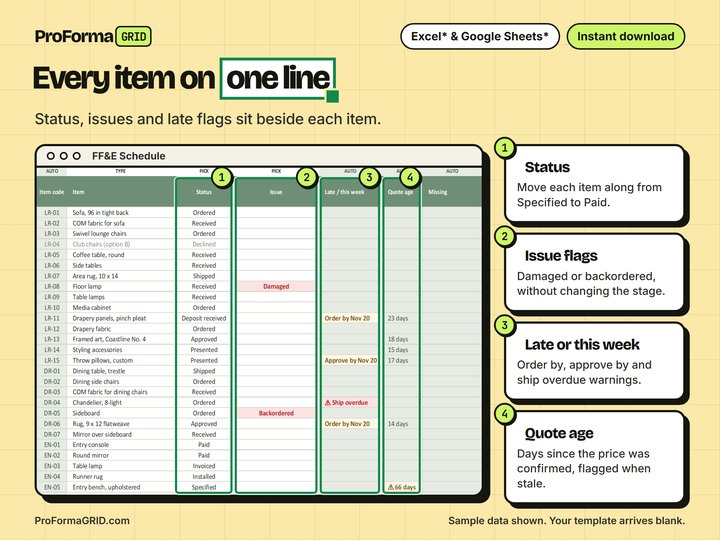
Project, room, item, vendor, price, status and issue on each line, with item codes, profit, margin, order-by dates and late, stale-quote and missing-data flags worked out for you.
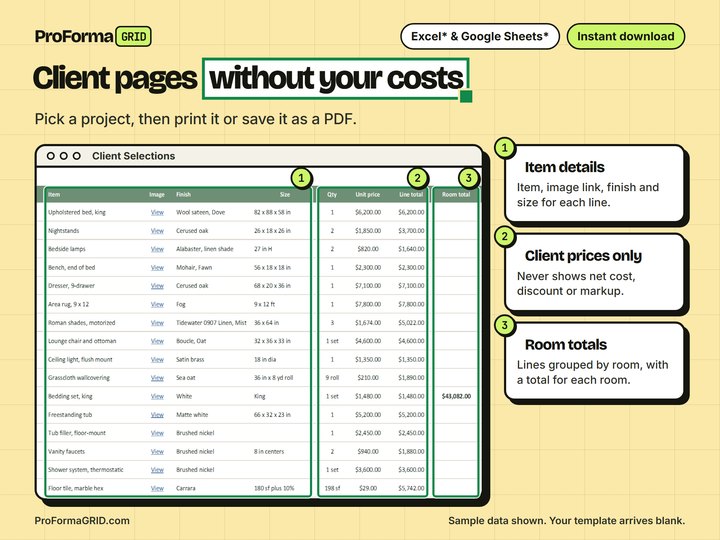
03 Client Selections
Pick a project and which prices to show, then print it or save it as a PDF: items grouped by room with images, finishes, sizes, prices, room totals and an approval box.
04 Payments
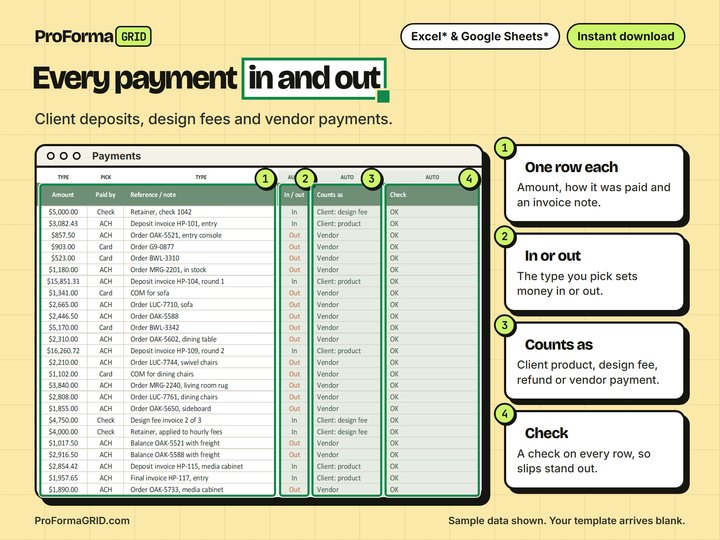
Client deposits, balances, design fees, refunds and vendor payments in one log, so the Dashboard can show what each client still owes and what you have paid vendors.
12 pre-built, interconnected worksheets included in both Excel* and Google Sheets*.
Excel* & Google Sheets* digital bundle — ready for instant use
Instant digital download: your Microsoft Excel* (.xlsx) workbook, a one-click Google Sheets* copy link PDF and a step-by-step instructions PDF.
Up to 5 projects, 100 rooms, 500 item lines, 60 vendors and 200 payments in one file. Save a copy for the next group of projects.
Cost-plus with markups by category, project or line, retail where you keep the trade discount, net plus a procurement fee, flat fee with product at net, and spec only where the client buys. You pick one per project.
It applies the rate you type for each project to the lines and charges you mark taxable. Rules vary by state, so set the switches with your accountant. It is not tax advice and no rates are built in.
Yes. The Design Studio Procurement Center handles 2 to 12 designers and up to 40 projects, with proposals, purchase orders, client invoices, time against fees and a team view. The Studio Edition tab inside this workbook shows it.
The Interior Design FFE Tracker includes ready-to-use files for both Excel & Google Sheets. Every formula, chart, dashboard, and all 12 connected worksheets (Start Here, Settings, Projects, Rooms & Budget, FF&E Schedule, Vendors, Client Selections, Payments, Dashboard, Studio Edition, Instructions, Health Check) are pre-built and ready the moment you open your file.
Professionals, business owners, and individuals looking for a ready-to-use interior design ffe tracker in Microsoft Excel and Google Sheets. Type your studio details and markups on Settings, your trade accounts on Vendors and each project's pricing method and tax rate on Projects. Add a code and budget for each room, then one line per item on the FF&E Schedule. Move the status along as items are approved, ordered and delivered. Print Client Selections for the client and check the Dashboard each week.
It is a 100% one-time purchase ($14.99 USD) with lifetime personal or internal business use — zero recurring subscription fees, zero locked cells, and no add-ons required.
Immediately. Your download links appear right on your private order confirmation page seconds after checkout via credit card, Apple Pay, or Google Pay. Bookmark your order page to re-download anytime.
Excel*, Google Sheets* and YouTube* are trademarks of their respective owners.
One FF&E schedule feeds proposals, purchase orders and client invoices.
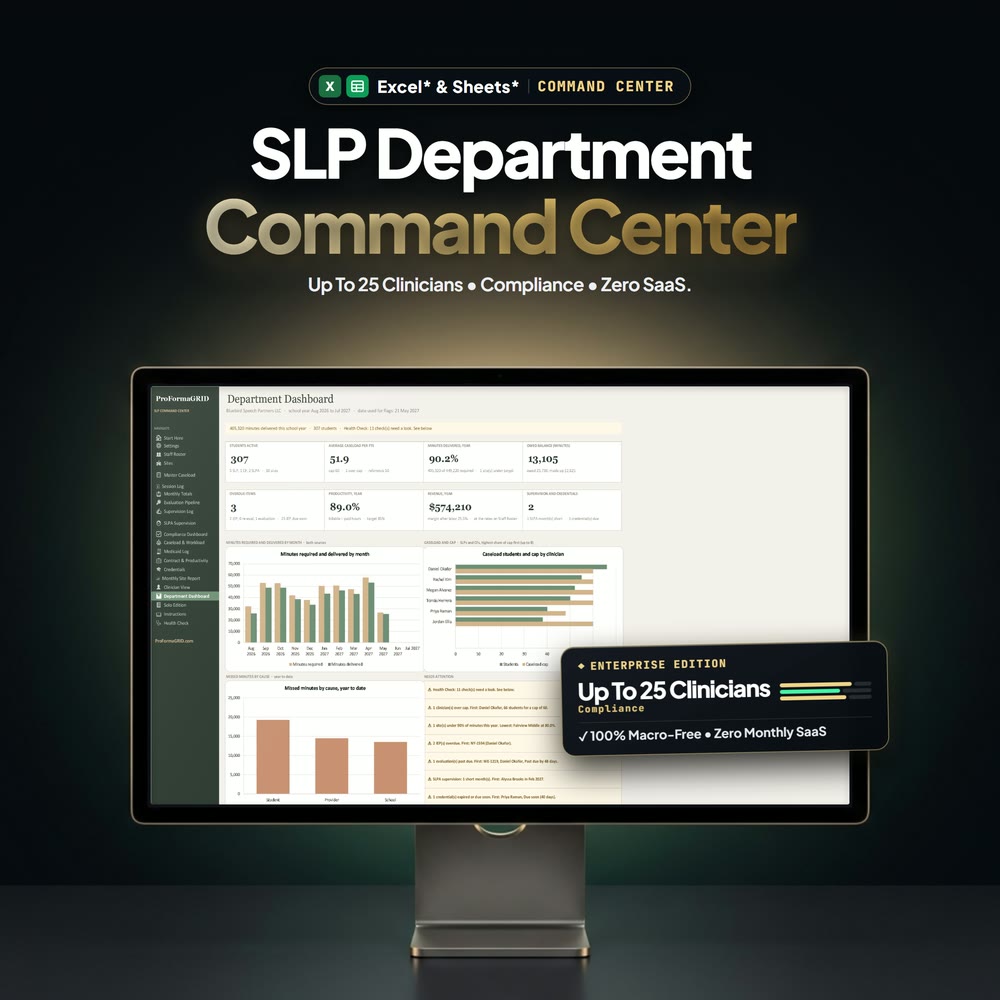
IEP compliance by clinician and school, caseload caps and SLPA supervision.
Smaller edition · $14.99SLP Caseload Tracker →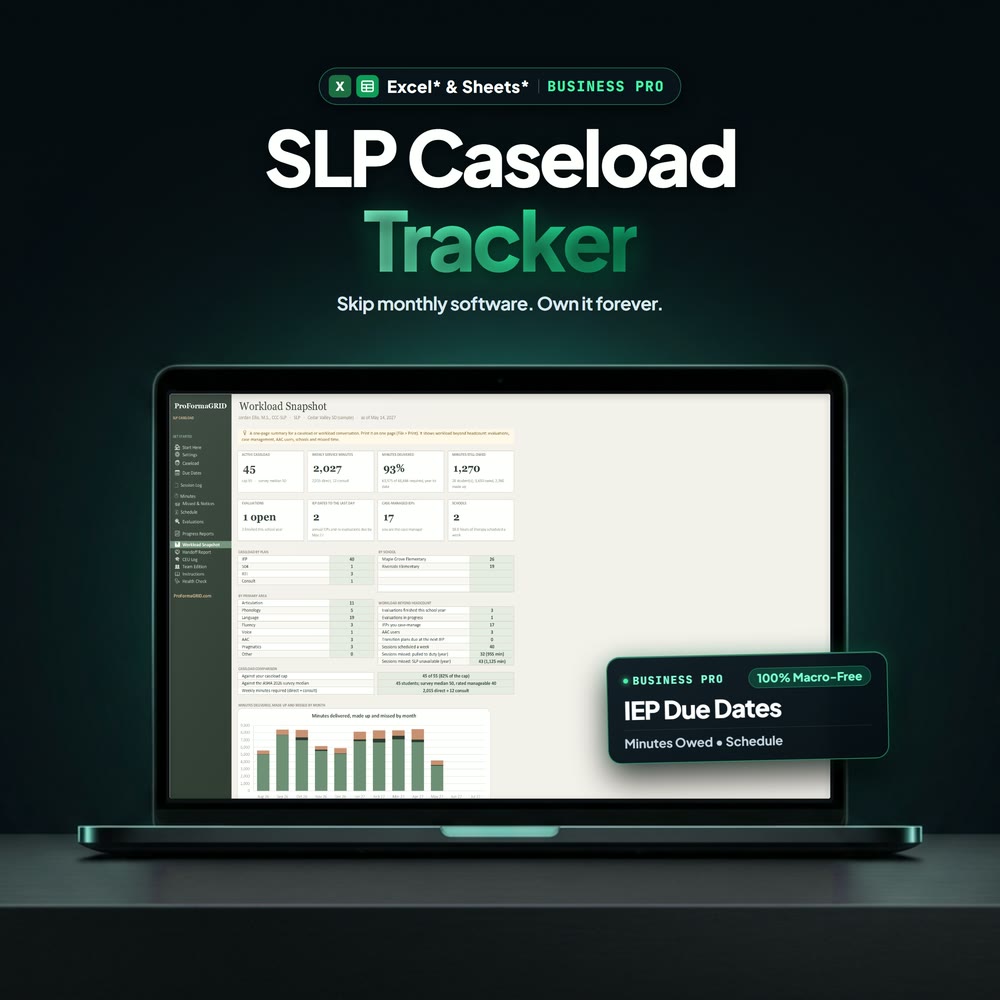
Track your whole speech caseload in one file: annual IEP and re-evaluation due dates, service minutes delivered against what each IEP requires, make-up minutes owed, a weekly schedule with a different bell schedule each day, evaluations, progress reports and a printable handoff page. For one school SLP, in Microsoft Excel and Google Sheets.

Profit per truck, weekly driver settlements with escrow, and fleet IFTA.
Smaller edition · $14.99Owner-Operator Trucking Tracker →