Studio edition Up to 200 events a year
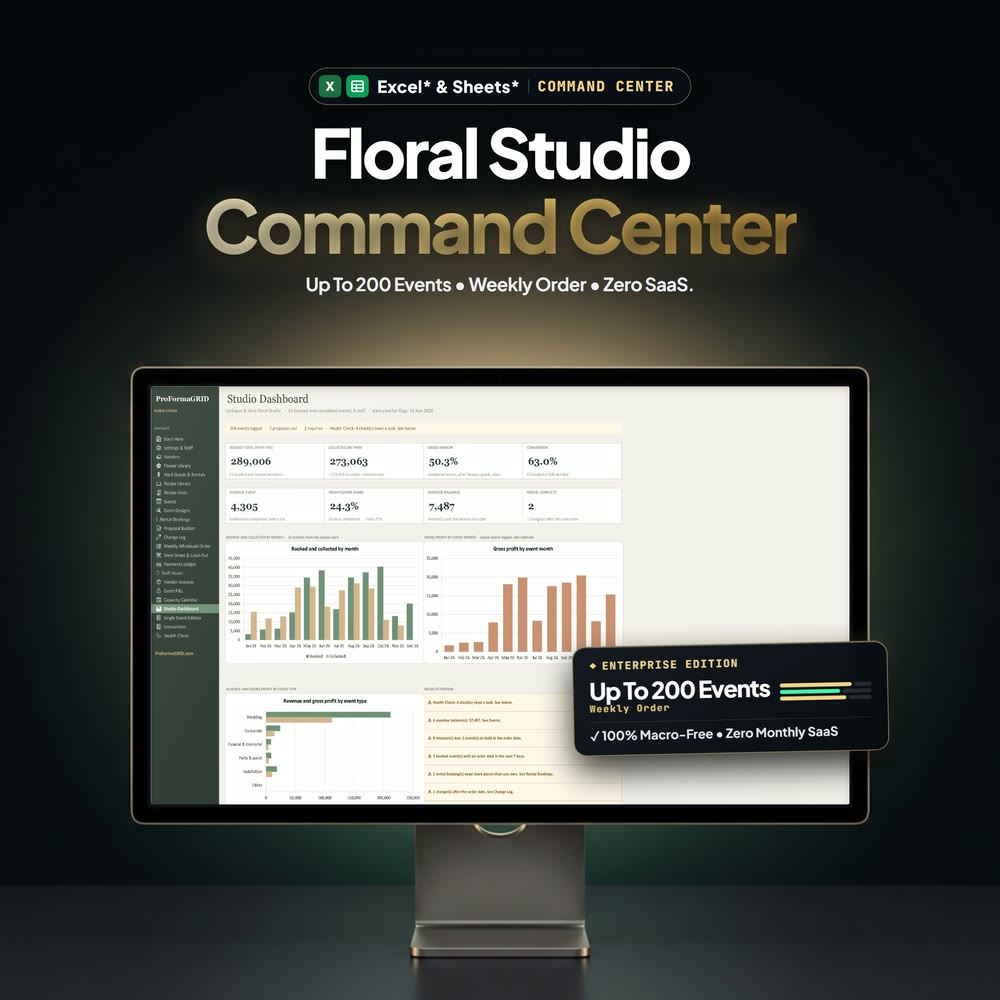
Floral Studio Command Center
An events pipeline, a recipe library and one combined wholesale order a week.
$69.99
Wedding Florist Recipe Calculator
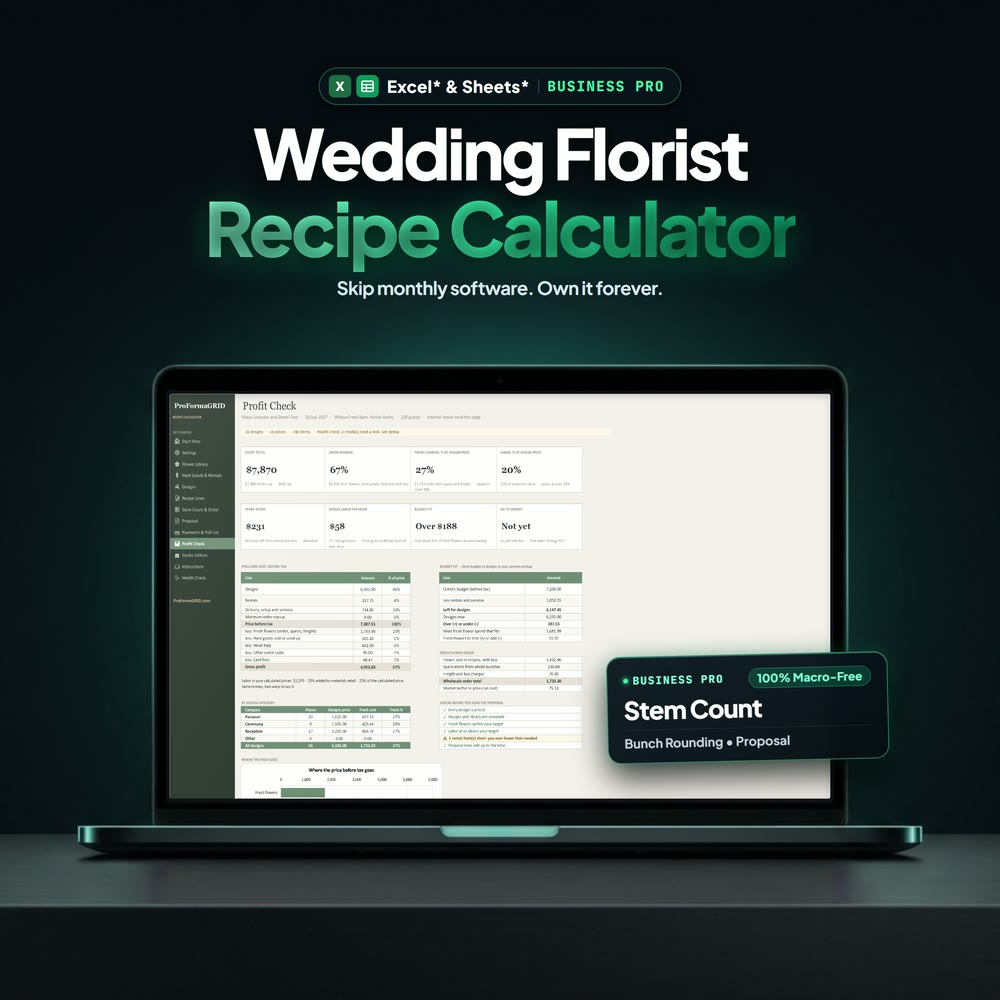
Type your flower prices and bunch sizes once, then one recipe line per ingredient for each design. The calculator adds up the stems, adds your loss, rounds up to whole bunches, shows the spare stems and their cost, builds the wholesale order by vendor and prices every design from your own multipliers and labor method.
Live workbook preview — pre-built formulas, charts, and formatting included.
Edition
Single event editionOne event per file$16.99Studio editionUp to 200 events a year · Floral Studio Command Center$69.99Excel* & Google Sheets*
Type your pricing rules on Settings and your wholesaler's prices and bunch sizes on Flower Library. Add each design and its quantity, then its recipe lines. Check the Stem Count & Wholesale Order and the Profit Check, print the Proposal for the couple, and track the retainer and payments before you order.
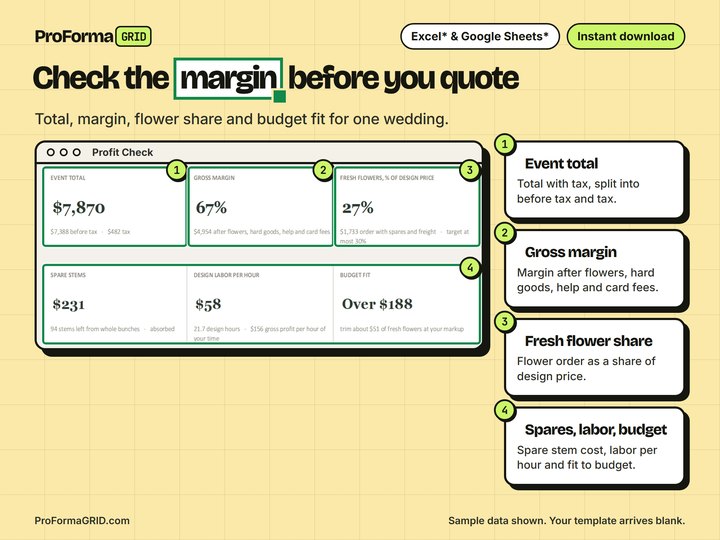
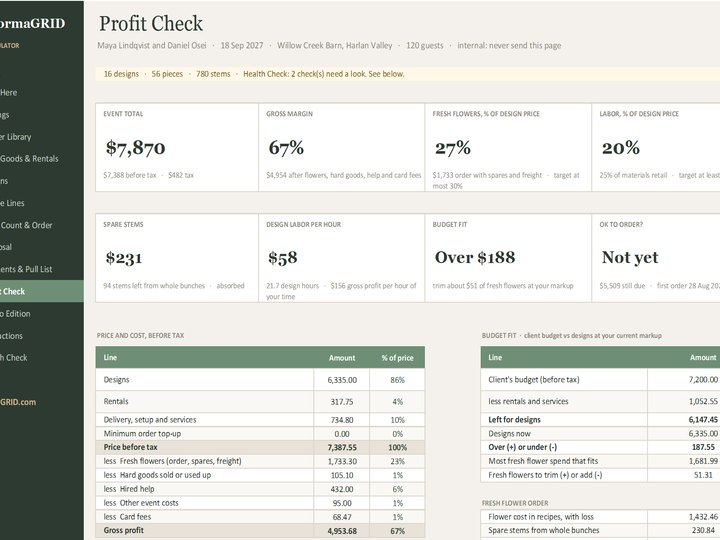
01 Profit Check
Event total, gross margin, fresh flower and labor shares of the price, spare stem cost, design labor per hour, how the designs fit the client's budget and whether it is OK to order yet.
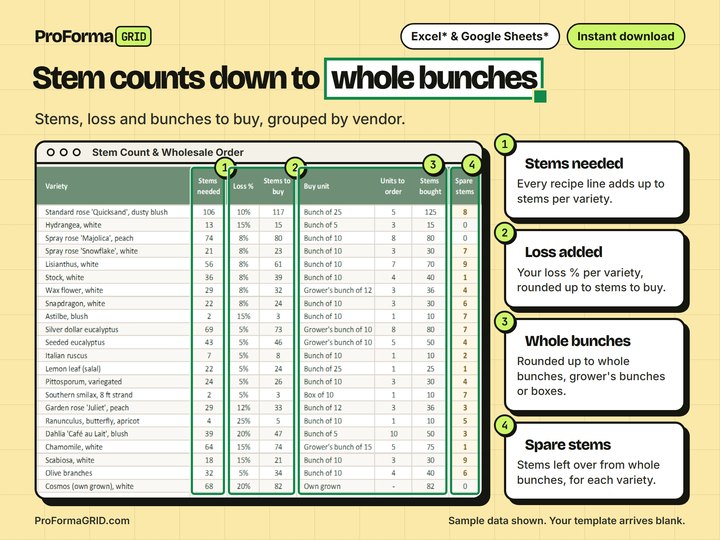
02 Stem Count & Wholesale Order
For every variety: stems needed, your loss %, stems to buy, bunches, stems bought and spare stems, grouped by vendor with order-by dates and a page to send each wholesaler.
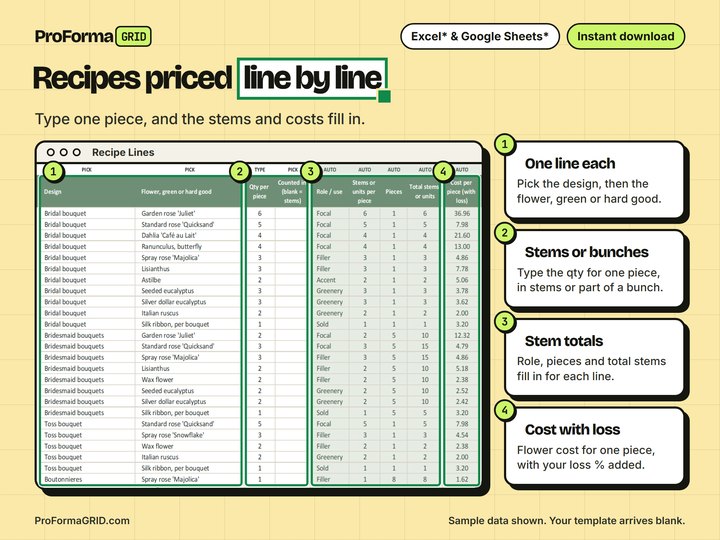
03 Recipe Lines
Pick the design and the flower, green or hard good, then type how many go into one piece. Role, total stems and cost with loss fill in for each line.
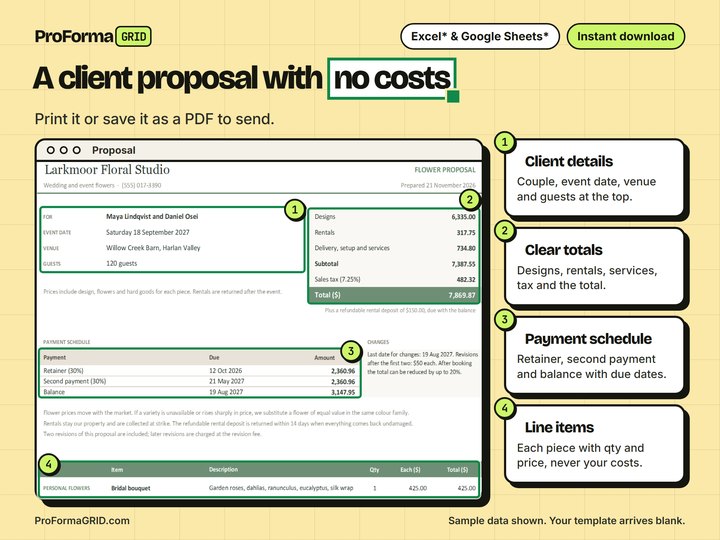
04 Proposal
Couple, date, venue and guests, every design with quantity and price, rentals, delivery and services, tax, the payment schedule and your change and substitution terms, ready to print or save as a PDF.
13 pre-built, interconnected worksheets included in both Excel* and Google Sheets*.
Excel* & Google Sheets* digital bundle — ready for instant use
Instant digital download: your Microsoft Excel* (.xlsx) workbook, a one-click Google Sheets* copy link PDF and a step-by-step instructions PDF.
One wedding or event per file: up to 40 designs, 400 recipe lines, 250 flower varieties, 100 hard goods and rentals, 6 vendors and 6 payments. Save a copy for each new event and the flower library goes with it.
No. Your multipliers, labor method, delivery rates, loss %, tax rate and every flower price are typed by you. The sample file uses sample prices so you can see how it works.
No. It works out what to buy and prints the order and proposal for you to send. It does not contact wholesalers or take payments.
Yes. The Floral Studio Command Center handles many events a year with a saved recipe library, a weekly wholesale order across events, staff hours and event profit. The Studio Edition tab inside this workbook shows it.
The Wedding Florist Recipe Calculator includes ready-to-use files for both Excel & Google Sheets. Every formula, chart, dashboard, and all 13 connected worksheets (Start Here, Settings, Flower Library, Hard Goods & Rentals, Designs, Recipe Lines, Stem Count & Wholesale Order, Proposal, Payments & Pull List, Profit Check, Studio Edition, Instructions, Health Check) are pre-built and ready the moment you open your file.
Professionals, business owners, and individuals looking for a ready-to-use wedding florist recipe calculator in Microsoft Excel and Google Sheets. Type your pricing rules on Settings and your wholesaler's prices and bunch sizes on Flower Library. Add each design and its quantity, then its recipe lines. Check the Stem Count & Wholesale Order and the Profit Check, print the Proposal for the couple, and track the retainer and payments before you order.
It is a 100% one-time purchase ($16.99 USD) with lifetime personal or internal business use — zero recurring subscription fees, zero locked cells, and no add-ons required.
Immediately. Your download links appear right on your private order confirmation page seconds after checkout via credit card, Apple Pay, or Google Pay. Bookmark your order page to re-download anytime.
Excel*, Google Sheets* and YouTube* are trademarks of their respective owners.
An events pipeline, a recipe library and one combined wholesale order a week.
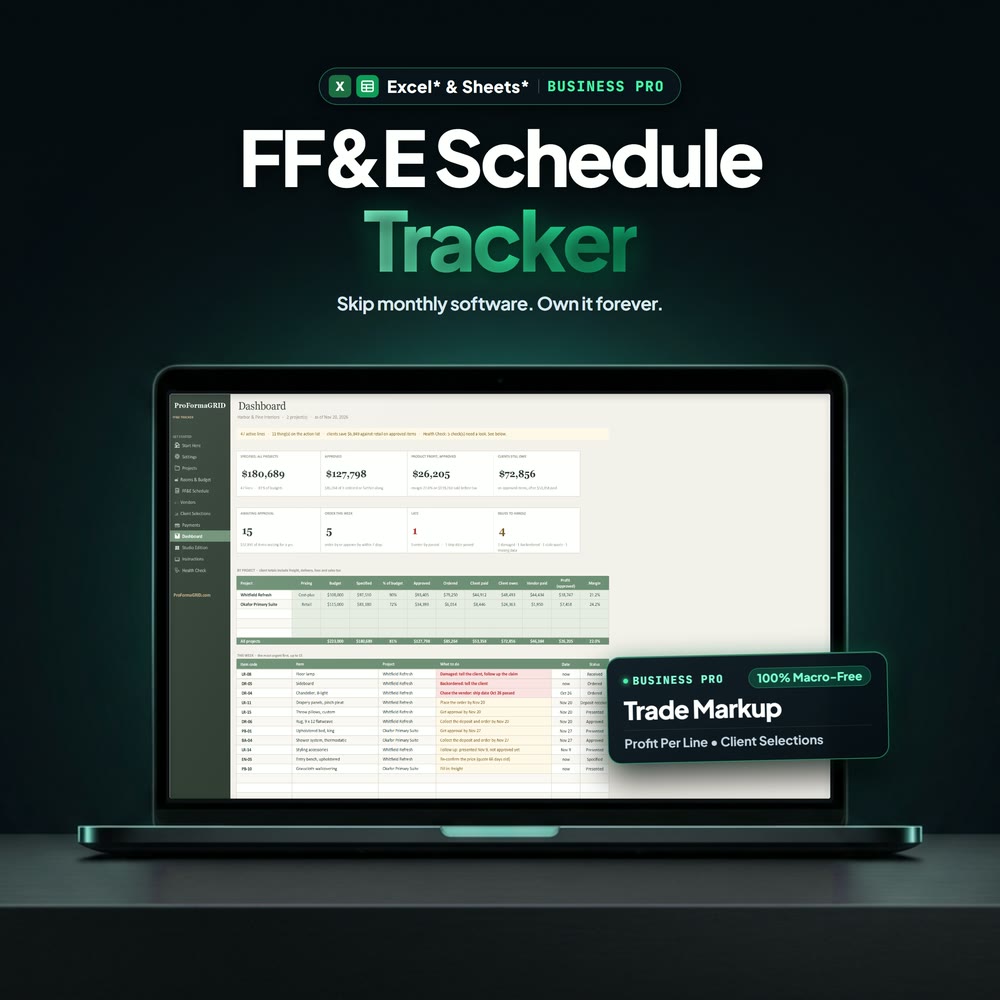
An FF&E schedule for one independent interior designer: spec every room, price each item the way you charge, see profit and margin on every line, and print a client page with no trade costs on it. Up to 5 projects in Microsoft Excel and Google Sheets. One payment, no subscription.
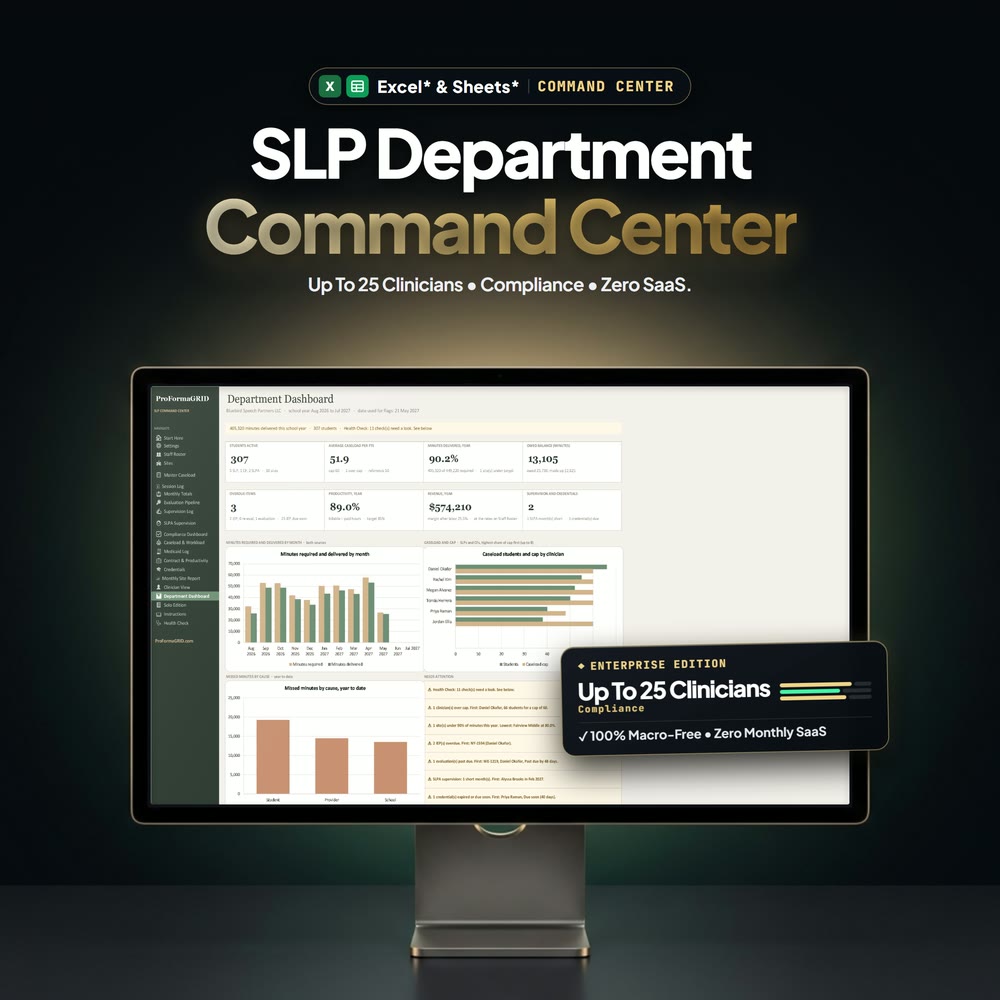
IEP compliance by clinician and school, caseload caps and SLPA supervision.
Smaller edition · $14.99SLP Caseload Tracker →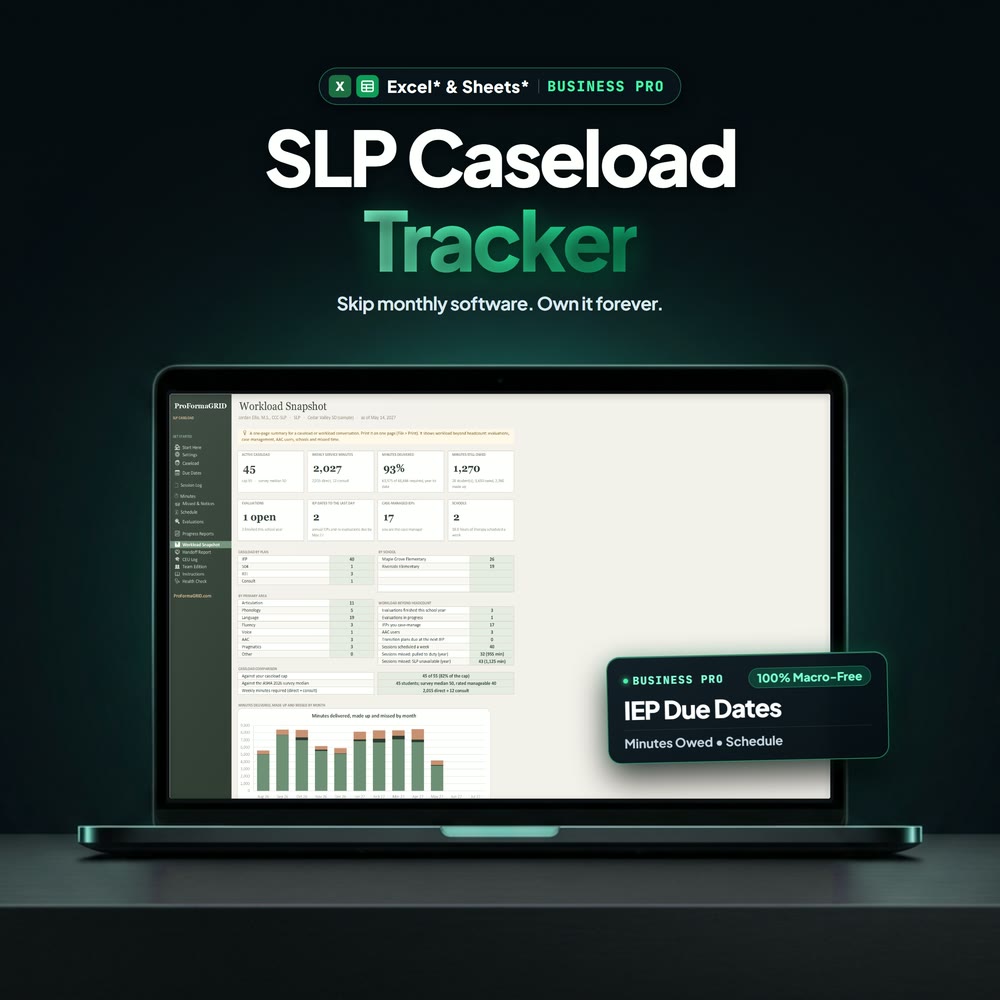
Track your whole speech caseload in one file: annual IEP and re-evaluation due dates, service minutes delivered against what each IEP requires, make-up minutes owed, a weekly schedule with a different bell schedule each day, evaluations, progress reports and a printable handoff page. For one school SLP, in Microsoft Excel and Google Sheets.